Jira timer vs calendar vs weekly timesheet: when the number gets written
Live timer, calendar reconstruction, or a weekly timesheet grid for Jira time tracking: what each model does to worklog accuracy, and how to choose.
On this page
A live timer, a calendar view, and a weekly timesheet grid look like three competing tools. They are really three answers to one question: how much time passes between doing the work and writing the number down. A timer writes the number while the work happens. A calendar view writes it hours later, reconstructed from traces of the day. A weekly grid writes it days later, from whatever memory is left by Friday. Everything else about the choice follows from that gap.
The short version: the longer the gap, the more the entry leans on memory instead of measurement, and the worse the resulting Jira worklog gets on all three of its axes: the started timestamp, the granularity, and the comment. Pick the timer for focused days, calendar reconstruction for days that fell apart, and the grid only when the people reading your hours need totals rather than truth. And if someone formally approves your hours, the choice is made for you; that is a timesheet-product feature, not an input style.
Three models, one Jira field
Jira itself has none of the three. Its native unit is the worklog: a duration, a started timestamp, and a comment attached to an issue, entered through the Log work dialog or the API. Timer, calendar, and grid are the three ways a tool can feed that same field.
The live timer. You press start when you begin and stop (or switch issues) when you are done. The worklog is a measurement: the clock ran while the work happened, so the start time and duration are facts, and the comment gets written while you still know what the work was.
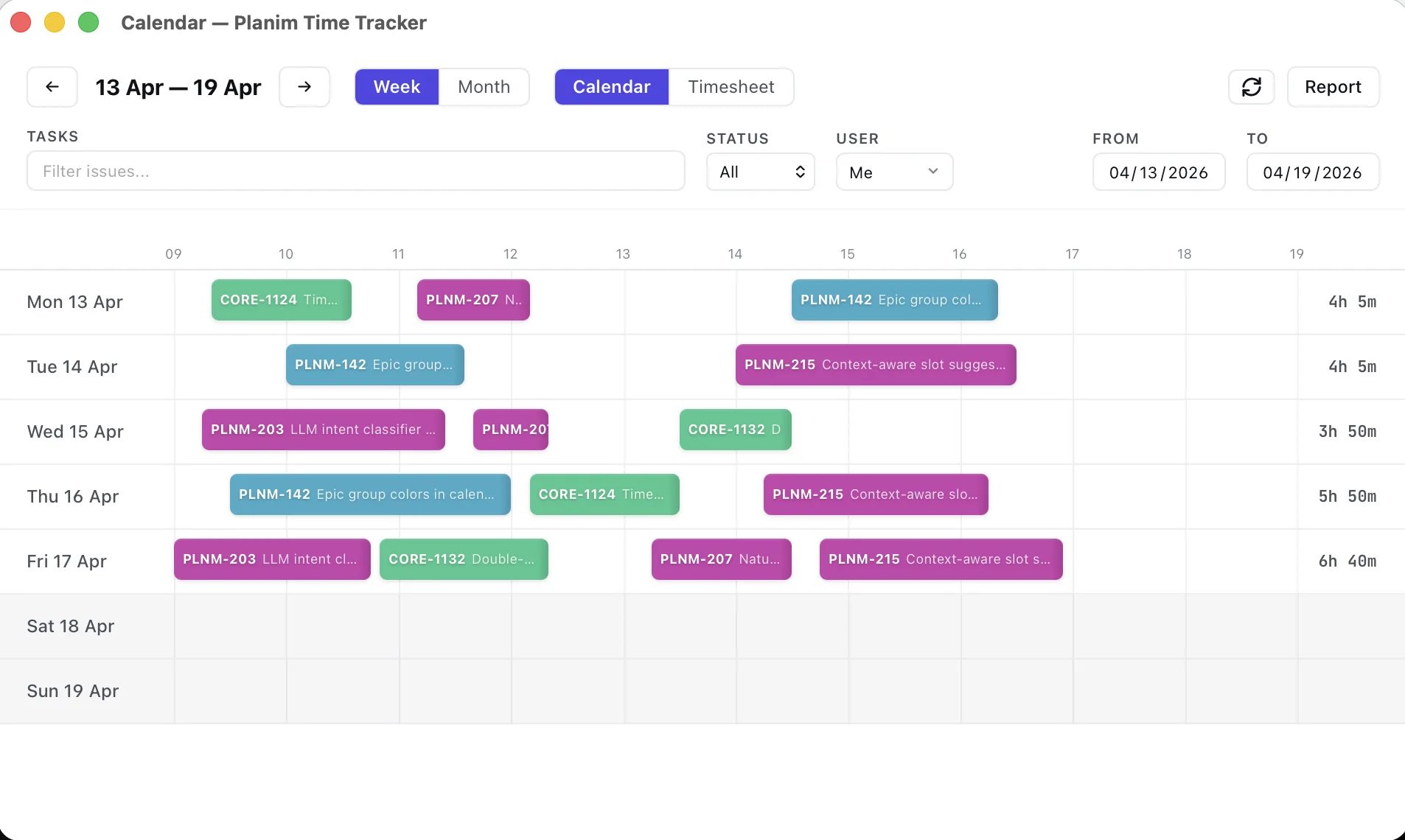
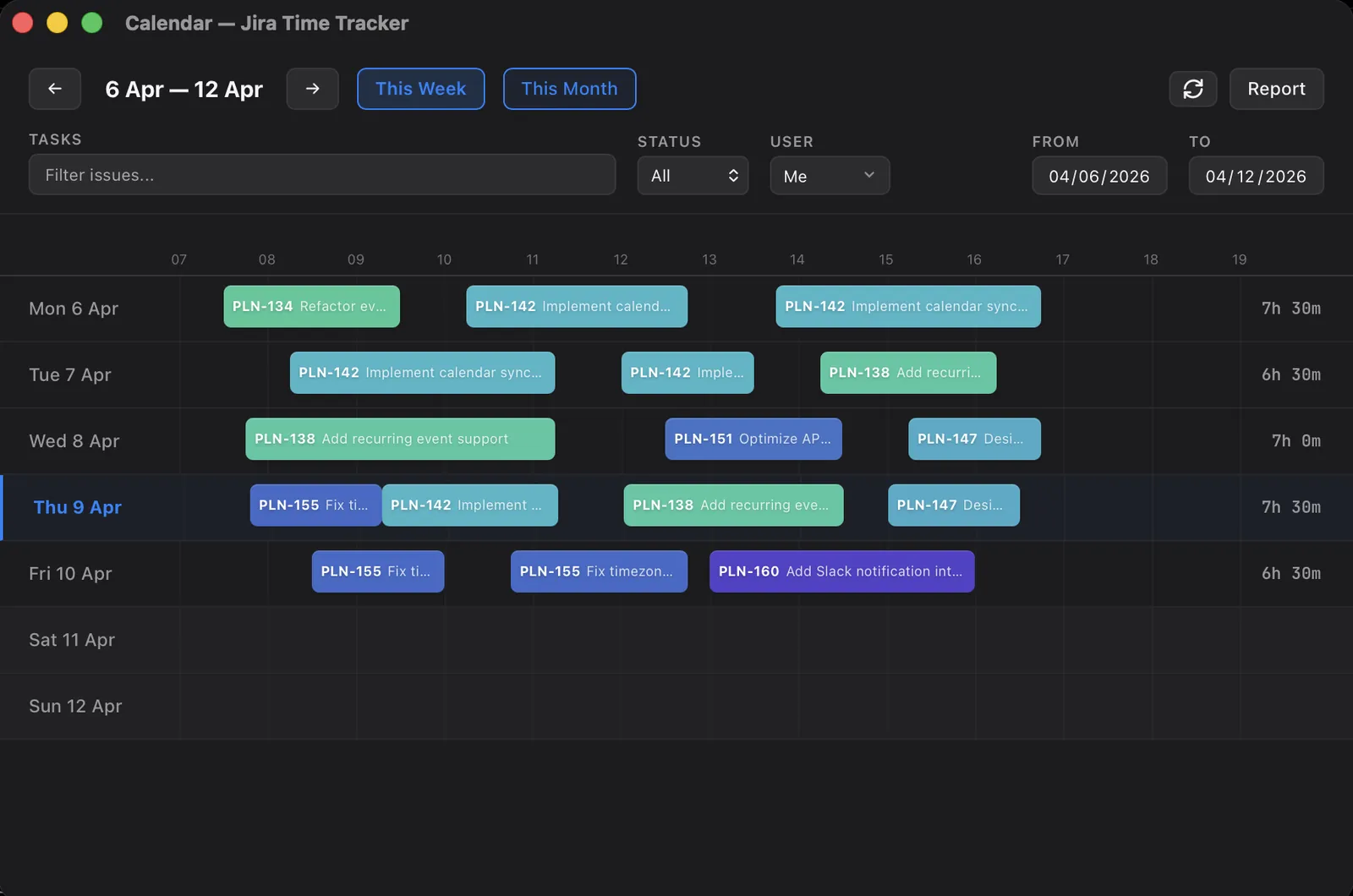
The calendar. At the end of the day or week you look at a timeline and place blocks on it. The worklog is an inference: you rebuild what happened from traces, then adjust. The traces can come from Jira’s own record of what you touched, from meetings, or from commits; the reconstruction guide covers the Jira trail and the backfill guide covers the external evidence.
The weekly grid. Rows are issues, columns are days, and you type hours into cells. The worklog is a recollection, or past a certain point an invention. Nothing about the grid asks when the work happened or what it was; it asks for one number per issue per day.
What the gap does to the number
| Live timer | Calendar | Weekly grid | |
|---|---|---|---|
| The number is written | during the work | hours later | days later |
| It leans on | measurement | traces | memory |
started timestamp | real clock time | approximate hour | the day, at best |
| Granularity | one entry per switch | one entry per block | one cell per issue-day |
| Worklog comment | specific, written in context | short but real | usually skipped |
| Effort while working | start/stop discipline | none | none |
| Effort afterwards | none | minutes per day | a painful hour on Friday |
The table understates one thing: memory decay is not linear. Reconstructing today over a coffee is honest work, because the traces are fresh and your recall fills the gaps between them. Reconstructing last Tuesday from a blank grid cell is closer to fiction, which is why the backfill guide’s first rule is to work from evidence at the issue level rather than slicing a remembered nine-hour day. The three models are not three flavors of the same data. They produce different data.
The timer: measured, but not unsupervised
When it works, the timer gives you the best worklog Jira can hold: a real start time, a duration nobody estimated, one entry per context switch, and a comment written while the context still existed. For a day of focused build work it is the cheapest option too, a click at each switch and nothing to remember at five o’clock.
It has two failure modes, and honesty about them matters more than the pitch. The first is the timer you forgot to stop. It keeps counting through lunch, through a meeting, through the night, and the resulting worklog is a lie with a precise timestamp. A tracker that takes its own numbers seriously has to interrupt you here, which is what an idle prompt is: the tool noticing the gap and asking what to do with it instead of quietly logging it. The second is the timer you never started. Meetings and firefighting rarely begin with someone pressing a button. A timer-only workflow silently drops exactly the hours that were hardest to account for.
Planim Time covers both, on Pro. The idle prompt stops a forgotten timer at the moment you left (macOS and Windows). For the hours you never started, the calendar’s Suggestions panel lists the issues you touched in Jira that day and proposes a block for each, anchored to the touch times; you set or confirm the length before anything lands.
The calendar: inference, honestly labeled
Calendar reconstruction exists for the days the timer missed. You open a timeline of the day, and the evidence goes on it: the issues you moved and commented on in Jira, the meeting blocks, the commits. Then you adjust durations and push the result as worklogs. Done the same day, it preserves most of what matters: the entries land near their real hours, each block maps to one piece of work, and you can still write a sentence about each.
Its permanent limitation is that duration stays a guess. The traces say which issues and roughly when, never how long, and no amount of tooling changes that. We learned to keep the two apart in our own reconstruction engine: confidence in where a block sits on the clock is tracked separately from where its length came from, because a user typing a duration does not make the algorithm’s guess about the start any more certain. The practical guardrails are the same as manual backfill: round to fifteen or thirty minutes, and cap the day at the hours you actually worked so a pile of small touches cannot inflate into an eleven-hour log.
The weekly grid: cheapest ritual, weakest data
The grid is the fastest way to enter a week, and there is no point denying the appeal. Rows of issues, columns of days, type a 6 and move on. For teams whose consumers only ever read totals, it delivers exactly what is asked. Worth knowing where those totals get read, though: Jira’s built-in reports aggregate per project and per version only, so the per-person, per-period cut needs an export or an external tool no matter how the hours went in.
What it costs is everything below the total. A cell knows the day but not the hour, so the started timestamp on the resulting worklog is a placeholder. We know because we ship a grid ourselves: a worklog created from a cell in Planim Time gets stamped 09:00 local time, not because we believe the work happened at nine, but because the grid has nothing better to know. A cell also merges every switch of that day into one number, and comments rarely survive batch entry. None of this matters if the hours feed an invoice summed by project. All of it matters the moment someone asks what Tuesday actually went to, or tries to calibrate estimates against real hours.
Planim Time ships all three; here is what that taught us
Planim Time started timer-first, and today it ships all three surfaces: a menu-bar timer with an idle prompt, a calendar with activity-based reconstruction, and a timesheet grid that shows the week or month as editable issue-by-day cells. That was not indecision. It took us a while to accept that one person has all three kinds of days. The same engineer runs the timer through a focused Monday, rebuilds a meeting-shredded Wednesday from traces on Thursday morning, and types a conference week into the grid because nothing finer-grained survived it.
The pattern we see is that the models degrade gracefully into each other as long as everything lands in the same place: ordinary worklogs on the Jira issue, whichever surface wrote them. The boundary we hold on purpose is at approvals. Our grid is an input surface, not a sign-off process: there is no submit-for-approval state and no manager review queue, and nothing here produces an invoice. If your organization needs hours formally approved before they count, you need a timesheet product built around that workflow, Tempo Timesheets being the canonical example, and no input-model argument changes that requirement.
Pick by day, not by identity
Most weeks contain all three kinds of day, so the routing question is which one you are closing:
- A focused desk day: the timer, started and switched as you go. Nothing else produces worklogs this good.
- A day that fell apart, or yesterday, unlogged: calendar reconstruction, the same evening or the next morning while the traces are warm.
- A uniform stretch where only totals matter: the grid, entered with open eyes about what the data can no longer answer.
- Hours that someone must approve: a timesheet product with an approval workflow. The other two models can still feed it, but they cannot replace it.
Whichever you pick, the lever is the same one: shorten the distance between the work and the number, and where you cannot, use the surface that is honest about how long that distance got.