Time tracking
that syncs with Jira

A native desktop app that lives in your menu bar. Track time on Jira issues, sync worklogs both ways, and see your week in a calendar — all without leaving your workflow.

macOS Windows Linux

Every worklog synced.
Both ways.

Planim Time doesn't just push worklogs to Jira — it pulls them too. Edit a worklog in the app and hit "Save & Push" to update Jira instantly. Status badges show you exactly where each entry stands.

  • Push worklogs to Jira with one click or automatically
  • Pull existing worklogs from Jira into the app
  • Status badges: IN PROGRESS, PENDING, SYNCED
  • Edit time entries and push changes back to Jira

Start tracking
in one click

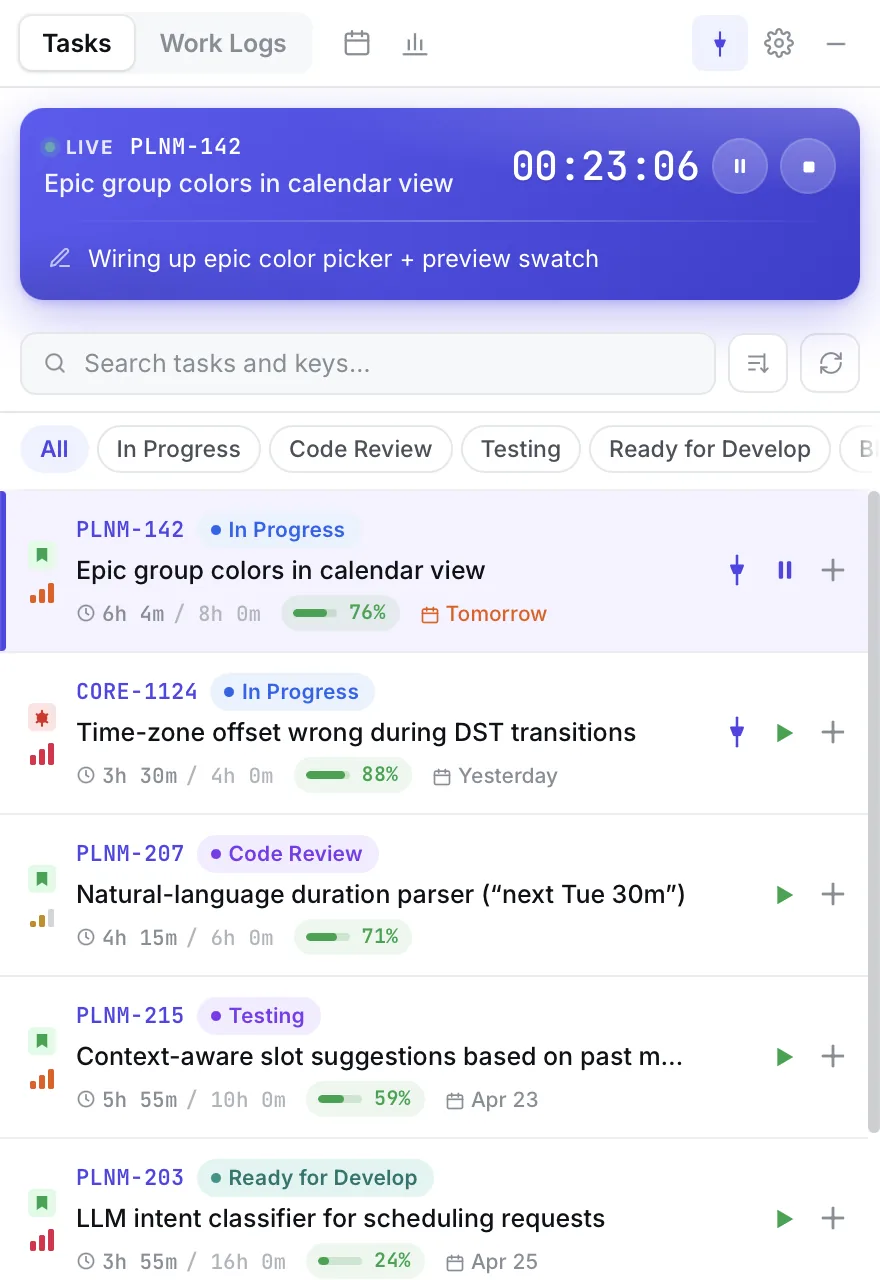
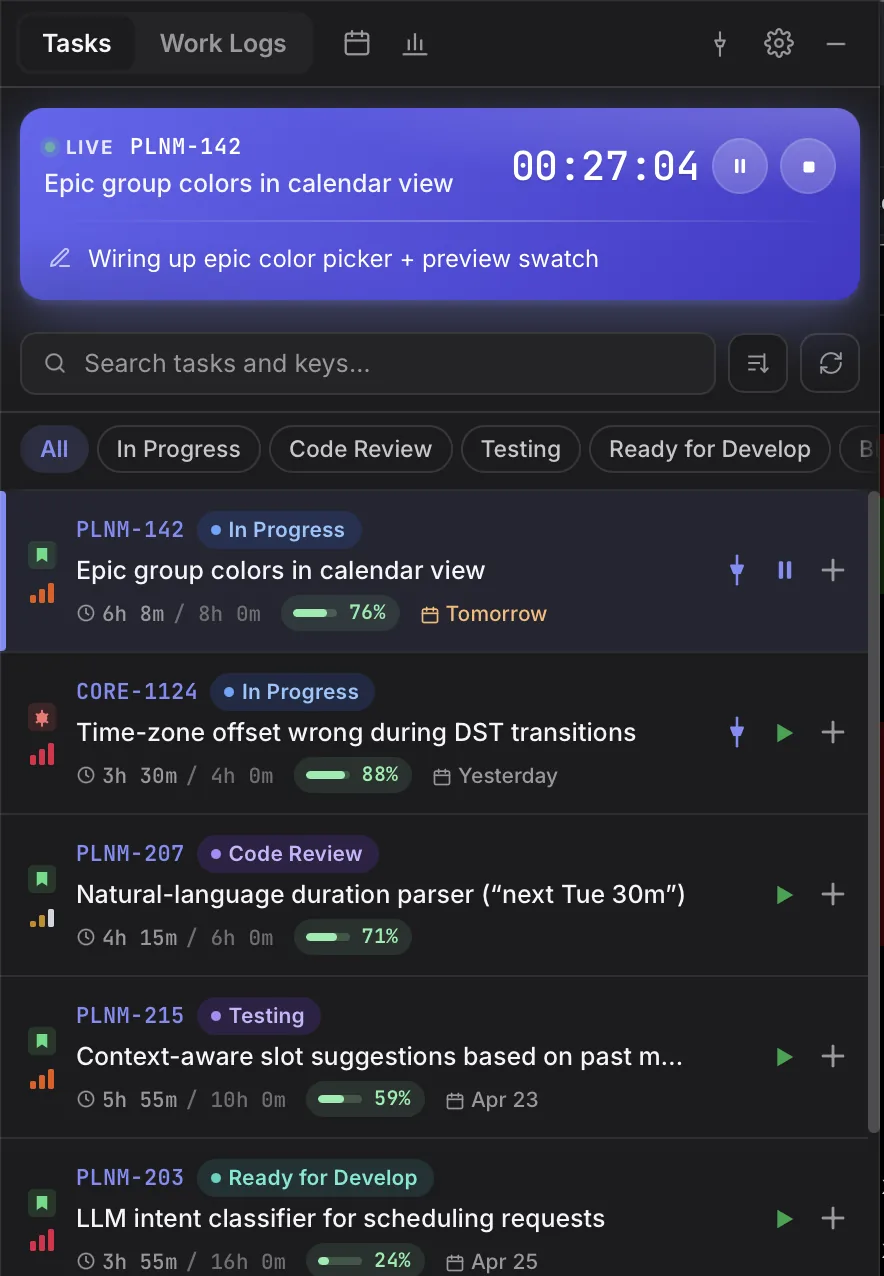
The app sits in your menu bar and is always one click away. See all your Jira issues pulled by JQL filter, organized by status. Hit play on any task to start the timer — the active timer stays visible right in the tray.

  • Lives in your menu bar — always accessible
  • One-click timer start on any Jira issue
  • Active timer visible in the tray icon
  • Quick search across all your issues

Your week,
at a glance

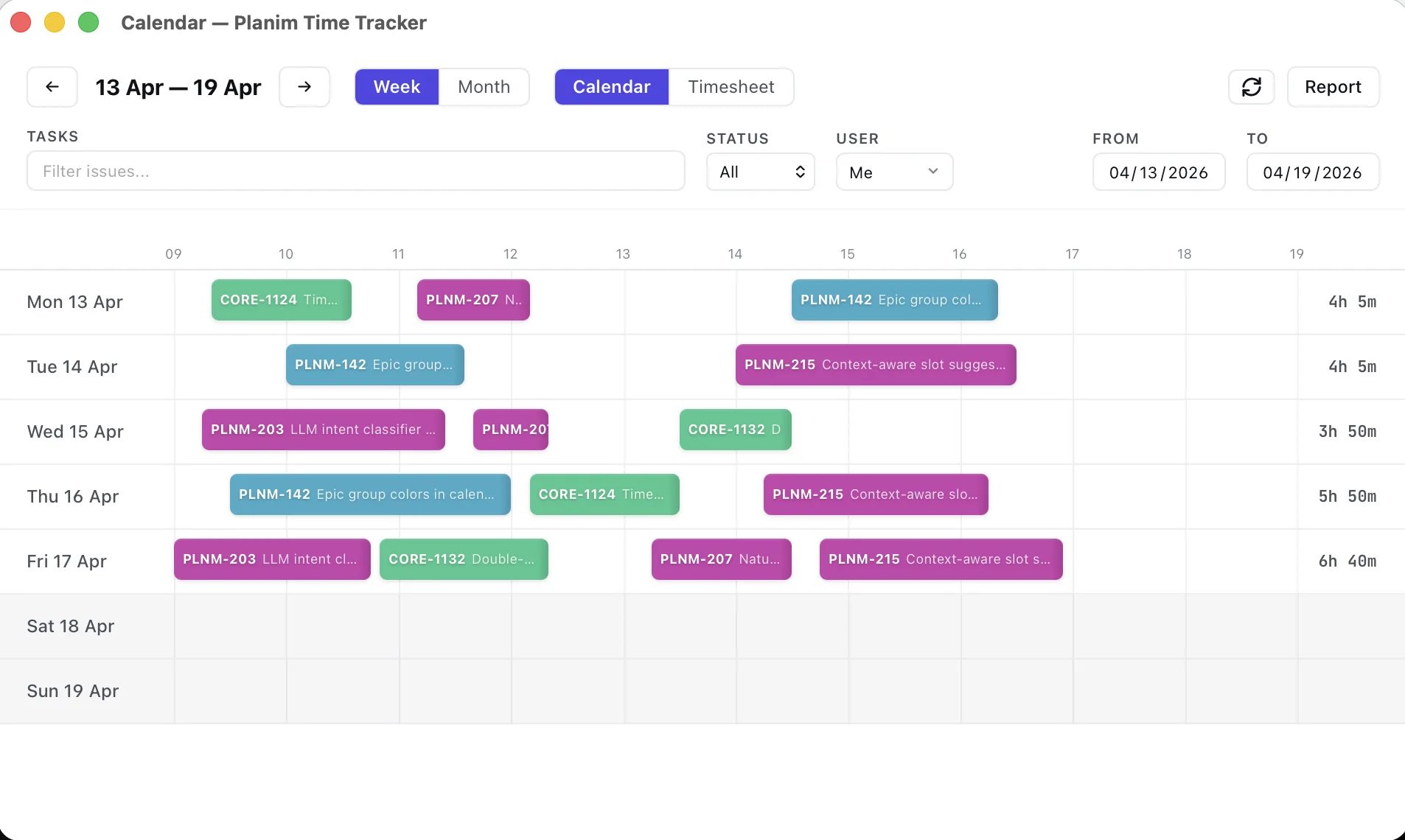
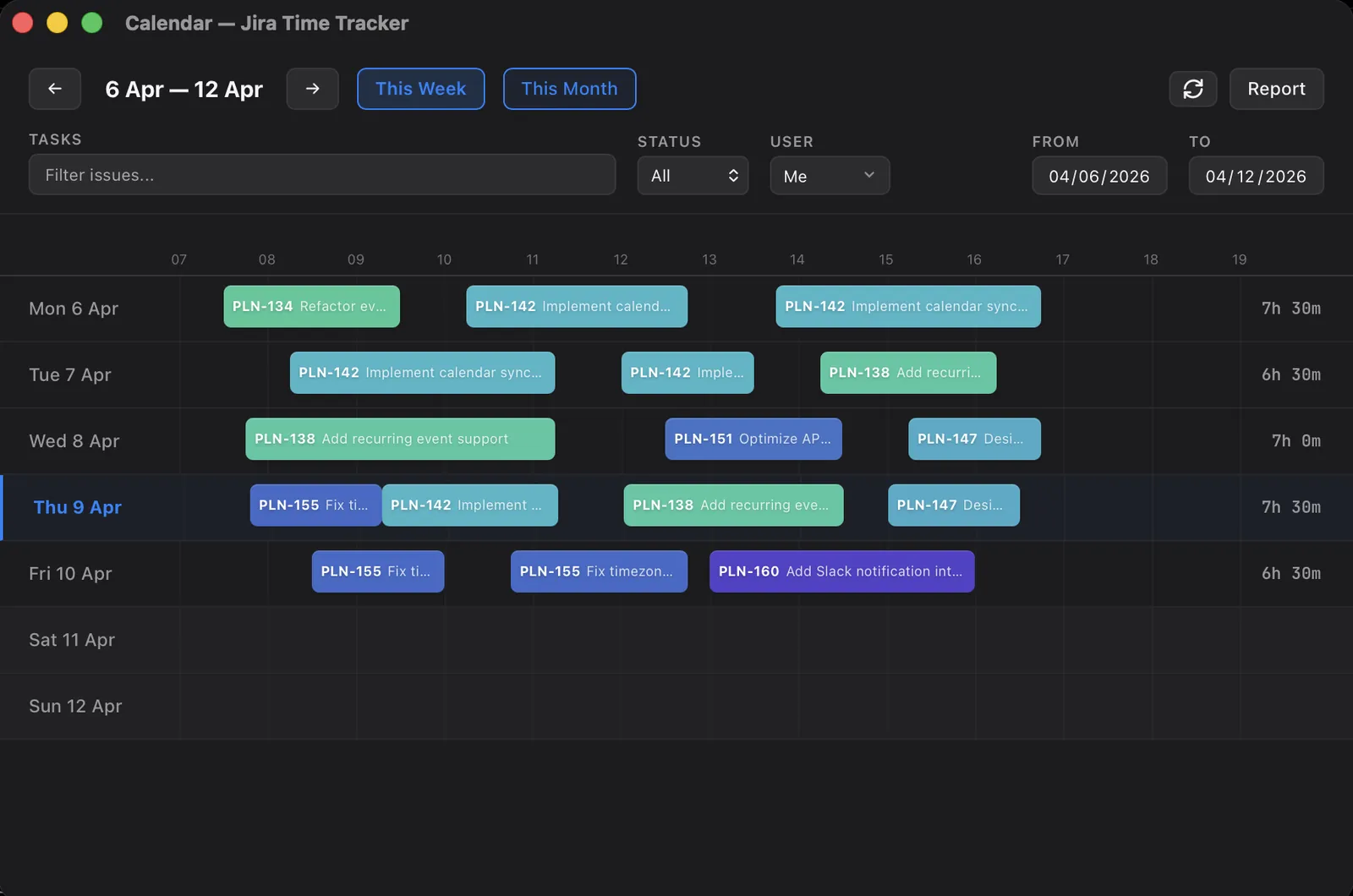
The calendar view shows every logged hour across the week as color-coded blocks. Spot gaps, see patterns, and understand where your time actually went.

  • Weekly and monthly views
  • Color-coded blocks per Jira issue
  • Filter by issue, status, or user
  • Daily hour totals at a glance

Know where your
time went

Generate reports for any date range. See every Jira issue worked on, with descriptions of what was done. Export to CSV for invoicing or copy to clipboard for standups.

  • Weekly and daily report views
  • Breakdown by issue with work descriptions
  • Export as CSV
  • Copy to clipboard for quick sharing

Set it
and forget it

Automate the tedious parts. Get notified when a tracked task changes status in Jira. Auto-suggest starting the timer when you move an issue. Push worklogs automatically when you stop the timer.

  • Status alerts with configurable snooze
  • Auto-suggest timer on issue status change
  • Periodic reminders if you're still working
  • Auto-push worklogs to Jira on timer stop

Your API keys,
never plaintext

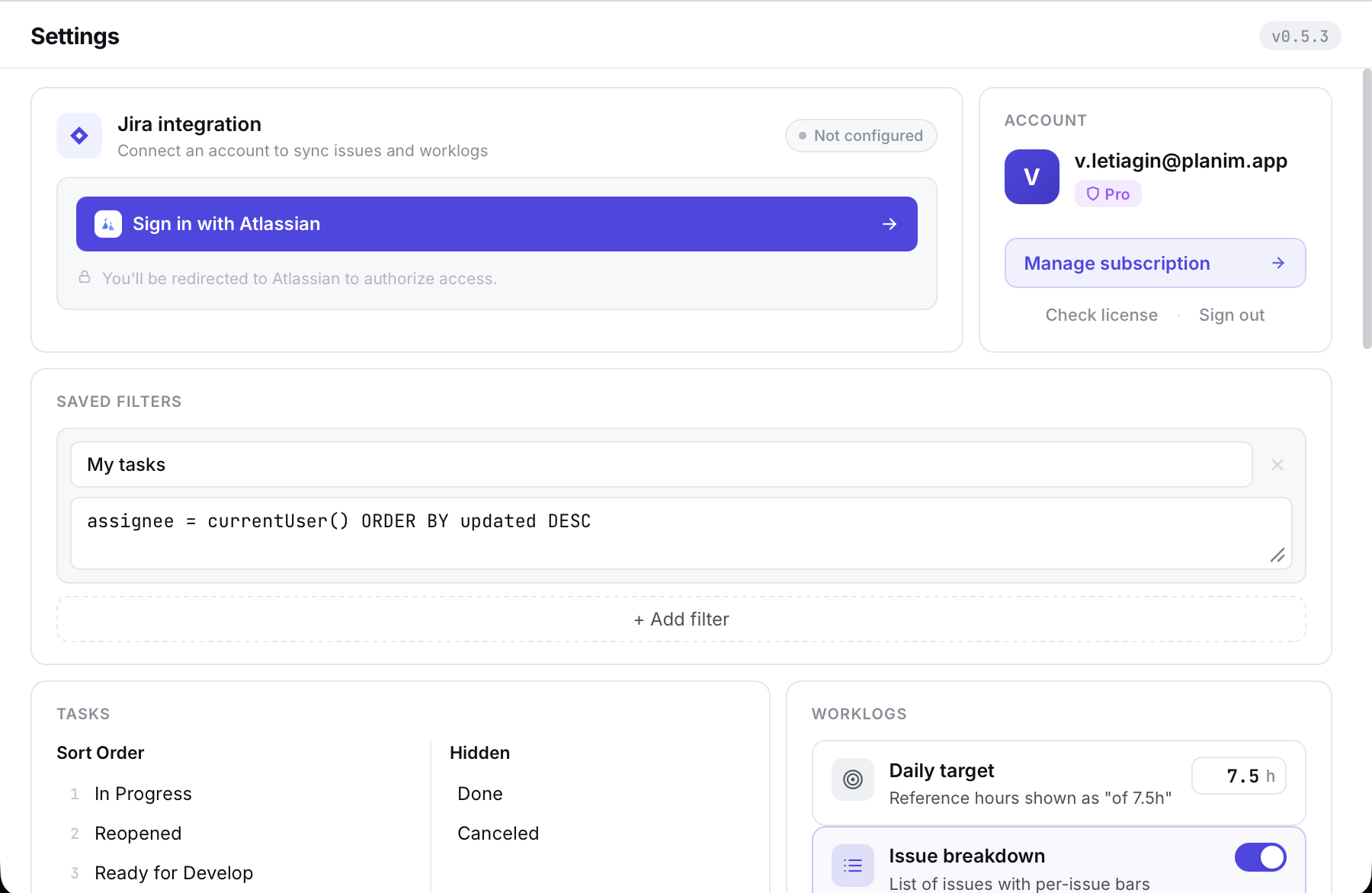
Your Jira API token never touches our servers and is never written to a config file. Planim Time stores it in your operating system's native secure credential store — the same vault your browser uses for saved passwords.

  • macOS Keychain on Apple devices
  • Windows Credential Manager on Windows
  • Secret Service (libsecret / GNOME Keyring / KWallet) on Linux
  • Encrypted at rest by the OS, unlocked per user session

A hundred little things that stop being annoying

Every engineer has a list of tiny frictions in their time tracker. Here's the stuff we killed on purpose.

Pinned issues

Issues you live on stay at the top, even if JQL would normally hide them behind a sprint boundary.

Status reordering

Drag In Progress above To Do. Your list reorders to match how you actually work.

Daily report, one copy

One click copies your day grouped by issue, with descriptions, ready to paste into standup.

Dynamic tray icon

The menu-bar icon changes when a timer is running, paused, or idle. Glance and know.

Silent auto-update

New releases drop in quietly with release notes in the app. No App Store, no uninstall-reinstall.

Dark, light, system

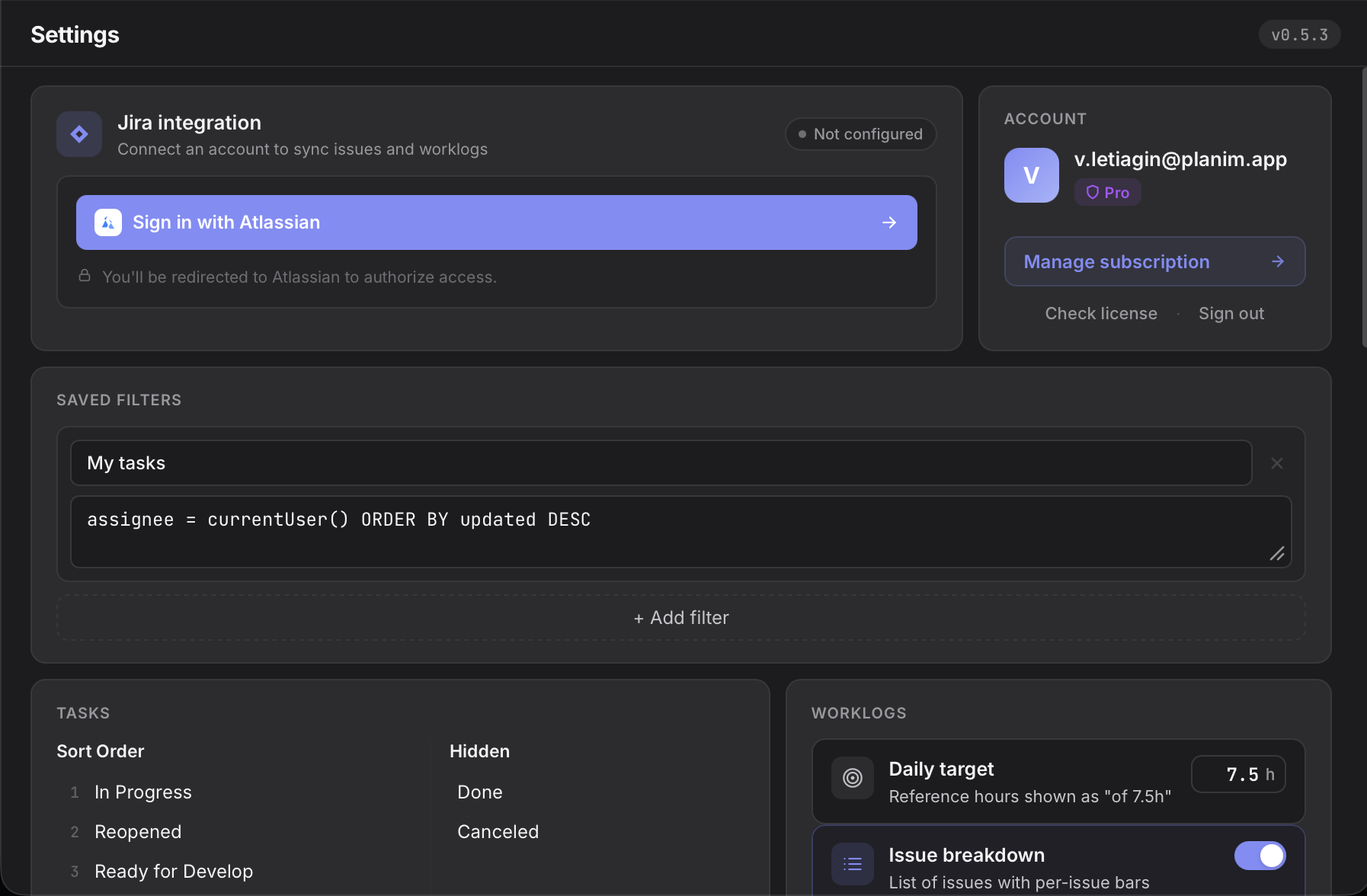
Three themes, synced with your OS preference if you want. The calendar stays legible in both.

Import existing worklogs

First launch pulls every worklog you or your team already logged on your Jira issues. No blank slate.

Local SQLite

Every worklog lives on your disk in a plain SQLite file. Nothing is lost if your Jira blips.

Works on a plane

Offline-first. Track on a flight, a train, a basement office — it reconciles with Jira when you land.

Team plan · built for squads on Jira

Your sprint,
summarised for whoever is asking.

Group your people into teams, pick a week, and every worklog on every issue rolls up into one screen. No Jira admin dance, no shared dashboards, no spreadsheets copied at 6pm on Friday.

Active roster 3 teams · 5 people
Backend3 Frontend2 Design1
194h 0m
Logged this week
10
Issues touched
5/ 5
Active people
01 · Roll-up

Four views, one dataset.

Switch between Person Issue Epic Project in a click. Expand any row to read the actual worklog descriptions — who did what, not just how long.

02 · Gaps

Missing time, caught early.

We compare every logged hour against expected hours per weekday. Dial the expected to 7.5h or 10h and everything recomputes live — anyone under target shows up on their own line, before the sprint ends.

03 · Reality

Estimates kept honest.

Original Jira estimates paired with actuals. Worst overruns first, underruns flagged too. +79% on a story is a conversation, not a surprise.

Two blocks managers actually open: Missing time and Estimate vs Actual.

One tells you which teammates are quietly falling behind. The other tells you which stories are quietly eating the sprint. Together they replace the Monday-morning “how did last week go” email.

Day · week · month · custom Weekends optional Status badges inline Refresh on demand Export to CSV Dark + light
Fourteen days of the Team plan, free. No card, no admin install, no Jira group permissions. Every seat you add gets full access from day one.
Why we built this

You can't leave Jira. We can make logging time into it bearable.

Most Jira time trackers are Cloud plugins. They live inside a browser tab, need an active Jira session, and keep your API token on somebody else's server. Every time you switch tabs to see the timer, Jira loads another ten widgets you didn't ask for. Tempo and Clockwork are built for finance departments; Clockify and Everhour are built for agencies. None of them are built for the engineer who just wants a timer that doesn't lose hours when Jira goes dark for five minutes.

Planim Time is a native desktop app — Rust under the hood, tiny installer, one menu-bar icon, no browser tab. Your Jira API token lives in the OS keychain, same vault your browser uses for saved passwords. Worklogs round-trip through Jira's own API, so nothing gets stuck in a third-party silo. Open a plane-mode laptop, start a timer, land, push — done. That's the whole pitch.

Three steps to
effortless time tracking

1

Install the desktop app

Download Planim Time for your OS. It sits in your menu bar, ready when you are.

2

Track your time

Start a timer or log time manually on any issue. One click, zero friction.

3

Sync automatically

Worklogs sync back to Jira instantly. Your team sees the data in real time.

Frequently asked questions

Honest answers about the Free tier, Jira support, and how your data stays yours.

Does Planim Time work offline?
Yes. The app tracks time and stores worklogs locally on your machine. When you're back online, two-way sync reconciles your entries with Jira. You can keep working on a plane or without network access and push later.
Does every workspace member need their own Team seat?
Only if they want to use Pro and Team features themselves — a Team seat activates those features (automatic push on timer stop, calendar view, reports, team worklog visibility, per-member search, priority support) for the one member holding it. Members without a seat can still track time against the workspace's Jira issues from Free or Pro, and their worklogs show up in the workspace's Team stats regardless of how or where they tracked. Team stats are built from every member who logged time to the workspace's issues, not just the paid seats.
How is Planim Time different from other Jira time trackers?
Most Jira time trackers are Cloud plugins or web apps that run inside a browser, require an active Jira session, and store your credentials on their servers. Planim Time is a native desktop app that lives in your menu bar, works fully offline, and keeps your Jira API token in the OS keychain — the same vault your browser uses for saved passwords. The Free tier is a complete Jira tracker rather than a limited trial, and a single price covers Jira Cloud, Server 8.x and newer, and Data Center.

Start free.
Scale when ready.

Free forever on the basics. Try Pro or Team for 14 days — no card required.

Always free
Free
$0
forever
  • Unlimited time tracking
  • Two-way Jira worklog sync
  • Manual and automatic worklog entries
  • History & filters
Download

No account required

14-day free trial
Team
$15
per seat / month
  • Everything in Pro
  • Team worklog visibility
  • Per-member search & reports
  • Priority support
Start Team trial

Free · one trial per workspace

Start tracking time
on Jira today

Free to use. No credit card required.