Jira time tracking reports: what's built in and where it stops
What Jira's built-in time tracking reports cover, and where they stop: no cross-project totals, no date ranges, no per-user timesheet.
On this page
Jira ships time tracking reports, just not the one most people open Jira looking for. The built-in reports answer a project manager’s question: is this version on budget, original estimate against time spent, scoped to one project and usually one release. The report people actually want, a timesheet for one person across whatever they touched last month, Jira does not produce natively. You get there by exporting worklog data and totalling it elsewhere, or by running a tool that builds the timesheet for you.
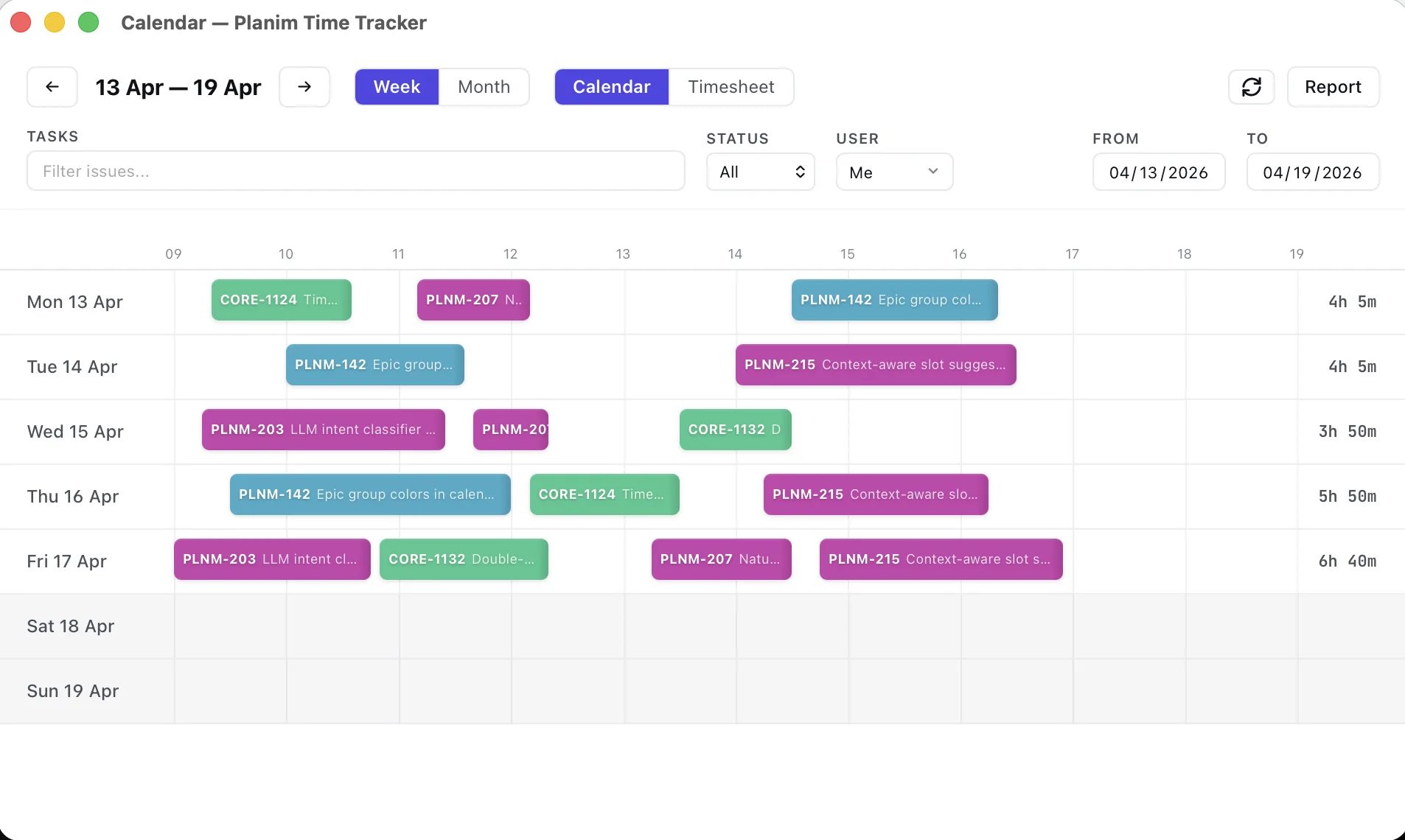
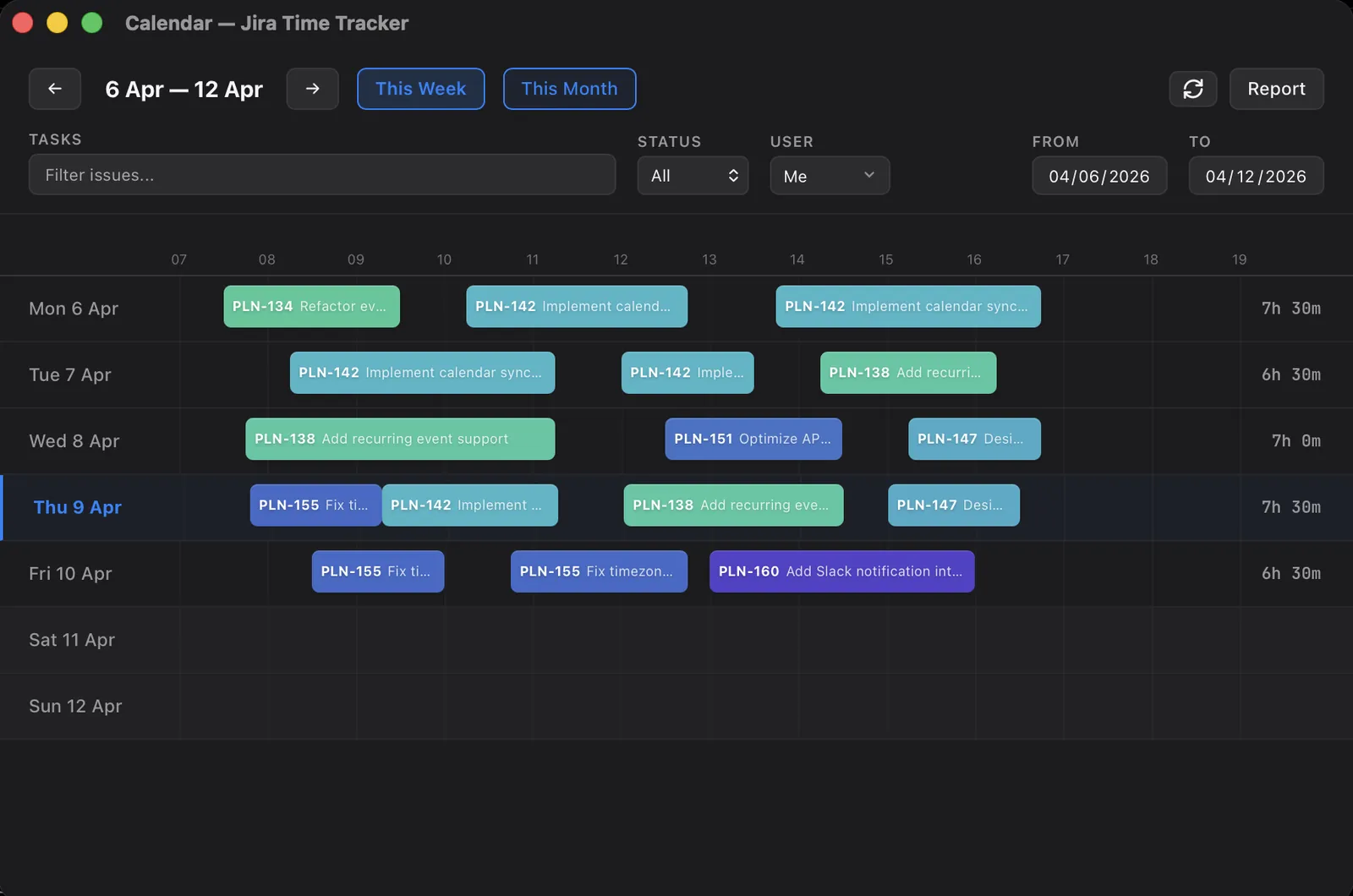
I’ve watched a lot of people open Jira’s reports expecting a timesheet and find a budget report instead. These reports were built for a project manager asking “is this version on track”. They get opened by someone asking “what did I do last month”, and that mismatch is what sends people hunting for a report that isn’t there. This post walks what Jira gives you out of the box, where each report stops, and what closes the gap. We build Planim Time, a desktop Jira tracker, so where one of its screens answers the question I’ll name the screen.
What Jira gives you out of the box
Jira has several surfaces for time data. Each is scoped narrowly, and knowing the scope is most of knowing which one to reach for.
The Time Tracking Report. This is the flagship, on company-managed projects, under the project’s Reports section. It’s organised around a fix version: pick one, and the report lists every issue in it with Original Estimate, Time Spent, and Remaining Estimate, plus an accuracy indicator showing whether each issue ran over or under. It answers one question cleanly. Did this release come in on the estimate. It is version-scoped and estimate-versus-actual by design, not a log of who did what when.
User Workload Report and Version Workload Report. Two more company-managed reports. User Workload sums the remaining estimate of unresolved issues assigned to one person, and it can do this either inside one project or across every project that person has open issues in. Version Workload breaks the outstanding work in a version down by assignee. Both look forward, not back: they’re about estimate still to burn, not hours already logged. They answer “how loaded is this person” rather than “what has this person done”.
The Worklog tab on the issue. Every issue has one. It lists each worklog entry: author, date started, duration, description. This is the only built-in surface that shows individual worklog rows instead of rolled-up totals, and it’s scoped to a single issue.
One scope note before the limits. Team-managed Jira Cloud projects don’t have the Time Tracking, User Workload, or Version Workload reports at all. That classic report set is a company-managed feature. On a team-managed project the issue Worklog tab is most of what you get.
Where the built-in reports stop
Four walls people hit, in roughly the order they hit them.
No cross-project view of logged time. Every report above that touches time spent is scoped to one project, and the Time Tracking Report tighter still, to one version inside it. A developer who logged hours against four projects last sprint shows up in four separate reports, and Jira won’t add them together. The one report that does span projects is User Workload, and it spans them for remaining estimate only. There’s no equivalent cross-project view of hours actually logged. The workarounds, JQL and otherwise, are in logging time across multiple Jira projects.
No date range. The built-in reports are scoped by version, not by period. You can’t ask for “everything logged between the 1st and the 15th”. A fix version is a loose stand-in for a time window, but worklogs land on whatever date someone typed into the Date started field, which need not match the version at all. “Last month’s hours” is simply not a question the built-in reports accept.
Estimate-centric, not log-centric. The Time Tracking Report’s spine is Original Estimate, and its headline is accuracy. If an issue was never estimated it still appears, but the comparison the whole report is built around comes up blank. For a team that logs time and doesn’t estimate, and there are plenty, the flagship report mostly shows empty columns.
No per-person, per-period total. The combination people ask for most often, one person plus a date range plus hours summed, is exactly the one no built-in report produces. User Workload is the closest by shape, and it totals remaining estimate, not logged time. That same per-person, per-period total is what capacity planning from tracking data runs on, which is why capacity, too, has to be assembled outside the built-in reports.
That fourth wall is the one I open our own app for. In Planim Time, Team Statistics set to Month and grouped by Person shows my logged total for the month across everything I touched, and switching the grouping to Project breaks the same hours down. It reads the worklogs from Jira, and for my own hours that works on the Free tier. Adding teammates is Pro.
JQL finds issues, not hours
The natural next move is JQL, and it gets you halfway. The worklogAuthor, worklogDate, and worklogComment fields let you find issues with matching worklogs: issues you logged against this week, say. But JQL filters issues, not worklog entries. A query returns the issues, not the individual logs underneath them, and there is no way to sum hours in JQL. It will tell you which twelve issues you touched last week and not how many hours across them. The mechanics of those worklog fields are covered in how to log work in Jira; the part that matters here is that JQL narrows the list of issues and something else still has to do the arithmetic.
Getting an actual timesheet
Once you accept that the built-in reports won’t hand you a timesheet, there are two routes.
Export and total it yourself. Pull the data out of Jira and sum it outside. A JQL issue search has an Export option, but exporting issues gives you the aggregate Time Spent per issue, not the individual worklog entries with their authors and dates. To get worklog rows, the per-person, per-day grain a timesheet needs, you read them through the Jira REST API and sum timeSpentSeconds yourself; the worklog CSV export guide walks that script and the traps in the native export. Either way the report is assembled outside Jira, in a spreadsheet or a script, and it’s a recurring chore rather than a saved view.
Use a tool built across the gap. This is what the time-tracking add-ons exist for. Tempo, and the desktop trackers including Planim Time, keep their own worklog store alongside Jira’s. That’s what lets them do the things Jira’s native reports structurally can’t: one person across every project, an arbitrary date range, hours summed without a spreadsheet in the loop. For a team lead the piece worth knowing in Planim Time is Missing time in the same Team Statistics window: expected hours per working day against what each person logged over the period, with the gap shown for anyone short of it (Pro). If you’re choosing between approaches, the round-up of Jira time tracking methods lays out where each one fits.
Here’s the short version, by question:
| What you’re asking | Built-in surface |
|---|---|
| Did this release land on its estimate? | Time Tracking Report |
| How loaded is this person right now? | User Workload Report |
| Who logged what on this one issue? | Worklog tab |
| How many hours did I log last month? | None — export and sum |
| Time across all my projects? | None — export, or a tracker |
Jira’s reports aren’t broken. They’re built for the version-budget question and they answer it well. They were just never built for the timesheet question, and no amount of clicking through Reports turns one into the other.