Jira time tracker for Linux: a native client on a platform vendors skip
Planim Time ships a native Linux Jira time tracker, AppImage or deb, with two-way worklogs straight to Jira, on the platform other vendors skip or quietly deprecate.
On this page
Engineers on Linux sit closer to Jira than almost anyone, and the time tracking market has quietly decided they don’t exist. Tempo and Clockwork never leave the Jira browser tab on any OS. Toggl deprecated its official Linux desktop app, leaving a legacy build that refuses to create new entries. The standing advice for Linux users in this category is “use the web app”, which is another way of saying “keep a tab open forever”.
We took the opposite bet. Planim Time ships a native Linux build, as an AppImage and a deb, and it is the same tracker we ship on macOS and Windows: sign in with your Atlassian account, pick issues through JQL, and a stopped timer becomes a real Jira worklog, start time intact, synced both ways. Linux is a first-class target, not a port that trails releases.
The same tracker, not a consolation build
The daily loop on Linux is the loop everywhere else. A tray-indicator click opens the app, and a click on any issue your JQL filters surface starts the timer. Pause banks the finished segment; stop produces a pending entry with the actual start time; push writes it to Jira in one click, or automatically on stop if you turn that on. On panels that support app indicator titles, the running issue key and count tick in your panel the way they do in a Mac menu bar; on desktops that only show an icon, the window carries the live count.
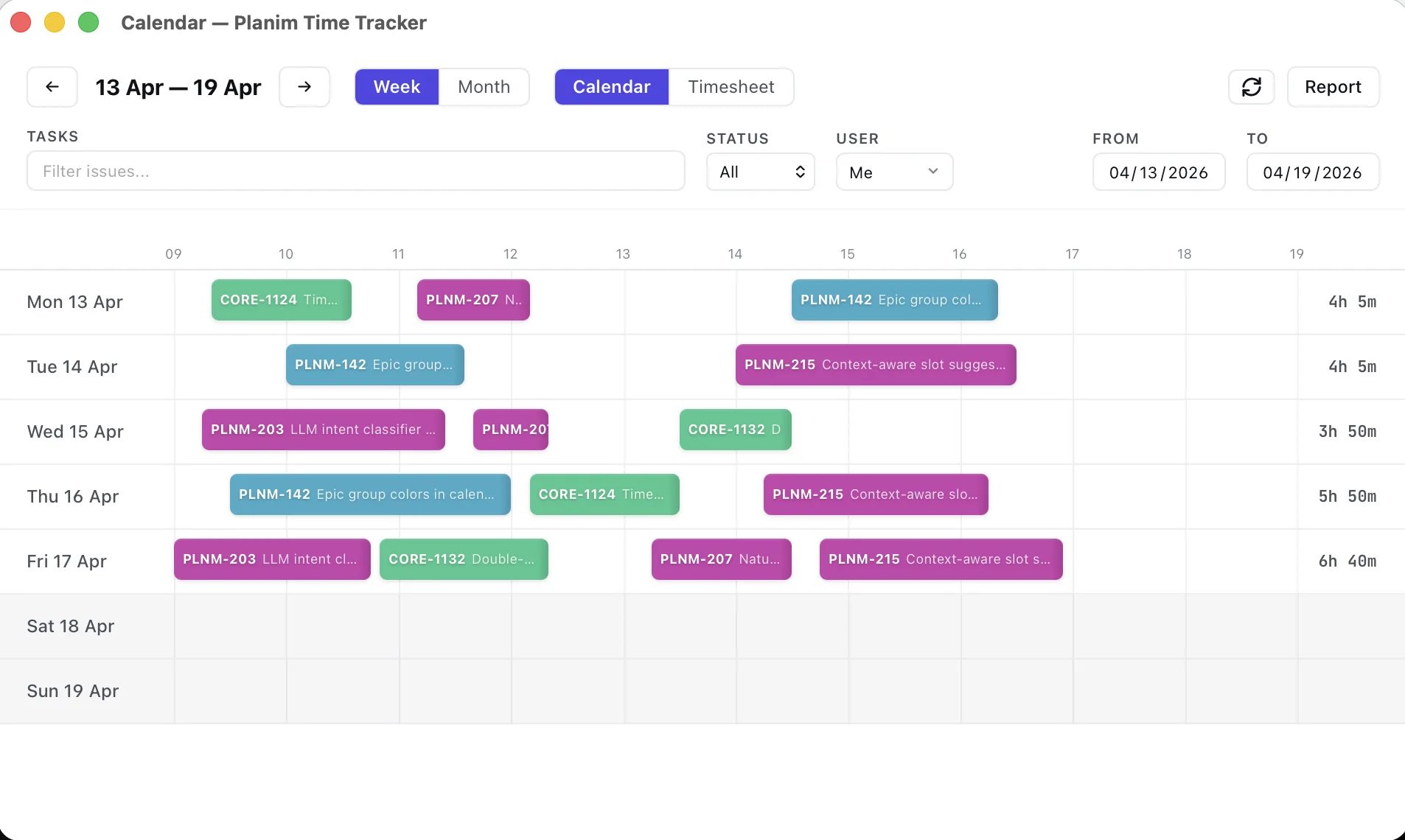
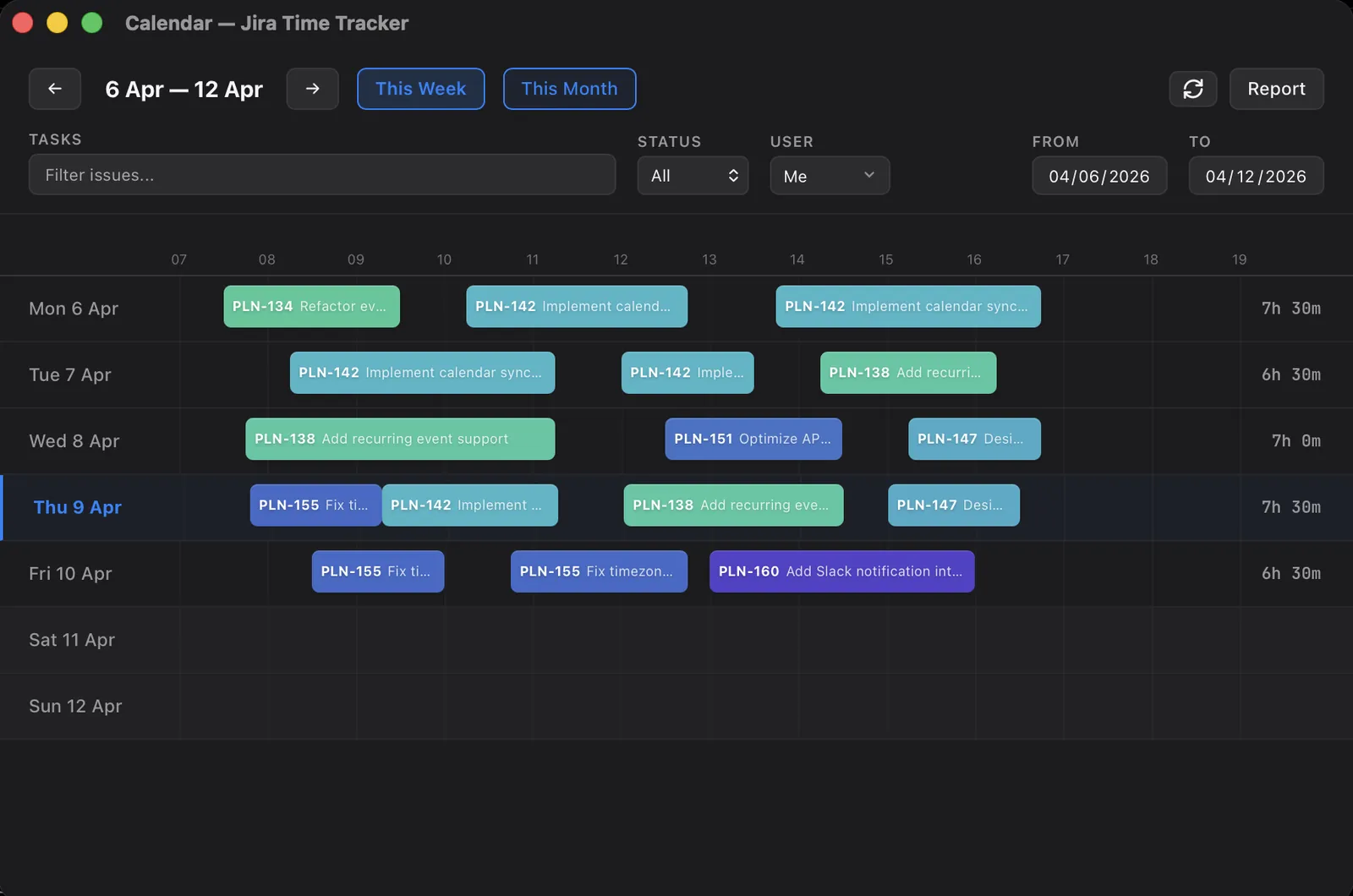
The window doubles as the week view: every worklog you own lands on a calendar no matter which tool wrote it, mistakes get fixed by dragging, and a timesheet grid handles the days you think in totals rather than in blocks.
Offline behavior is the same local-first architecture as on the other platforms: measurement happens against a database on your own disk, and Jira only enters the picture at push time. A dead corporate proxy or a laptop tethered to nothing interrupts no running measurement; offline Jira time tracking covers the mechanics in detail.
The Linux specifics
Credentials go through the Secret Service, talked to over D-Bus; depending on your desktop, GNOME Keyring or KWallet is what answers on the other end. That is the same trust boundary as Keychain on macOS and Credential Manager on Windows: OAuth credentials in the OS vault. The wider survey of where Jira trackers store your token applies unchanged on Linux.
Launch at login is a .desktop entry in ~/.config/autostart, written to the Desktop Entry Specification’s letter, double-escaping rules included. We ended up writing that by hand: the stock autostart crate for apps like ours assembles its Exec= line without quoting, which silently breaks on any install path containing a space. Linux users notice this class of bug, and carrying the escaping table ourselves beats shipping it.
And one honest limit: idle detection is not available on Linux yet. There is no unified API for system-wide idle time, and Wayland exposes it per-compositor, so any “works on Linux” claim would really mean “works on some setups”. The app returns nothing rather than guessing, and the UI hides the feature. On macOS and Windows, where the OS gives a real answer, the idle prompt handles forgotten timers and closed lids; on Linux, the pause button and the calendar’s drag-to-fix remain the tools for the same job.
Why the field is this empty
A desktop tracker for Linux is a real port: its own packaging, plus credential storage and tray conventions that shift with every desktop environment. For a vendor whose product is a cloud timesheet, the web app is close enough and the Linux build is the first thing cut, which is how Toggl’s ended up deprecated. The in-Jira plugins, Tempo and Clockwork, never had a desktop surface to cut: a browser tab on Linux works, but the timer still dies with the tab. Clockify’s generalist tracker comes closest, but its hours still live in Clockify’s cloud, with the Jira bridge running through an admin-installed Marketplace app.
For us the Linux build was never optional: the engineers this tracker is built for are disproportionately the ones running Linux. The case for native desktop trackers does not get weaker on the OS people choose deliberately; it gets stronger.
Take the bet with us
The pitch is short: a first-class Linux build of a tracker whose only source of truth is your Jira. Download the AppImage or deb, sign in with Atlassian, and your next stopped timer is a Jira worklog. The identical tracker runs on macOS and Windows, so nobody on the team has to track differently because of their OS.