Jira time tracking for developers and small engineering teams
A desktop Jira time tracker for an individual developer, and what changes when a small engineering team adopts it: same app, worklogs stay in Jira.
On this page
Ask a developer what a time tracker is actually for and the honest answer is rarely billing. It is memory. What do I say at standup. Where did Tuesday go. Which of the five issues I touched yesterday quietly ate the afternoon. A tracker earns its place by answering those questions without becoming a second job, and that means it has to live where the work lives: a menu-bar timer, your own Jira issues already loaded through assignee = currentUser(), and a running clock two clicks away from whatever you were doing.
For a small engineering team, two to eight people, the answer barely changes, and that is the entire argument of this post. A team that size does not need a team edition with its own database of hours. The team version of a desktop tracker is the same binary installed on N machines, and the shared store of hours is a system the team already runs: Jira itself, where every worklog lands anyway. Nothing gets installed into your Jira site from the Marketplace, nothing is provisioned tenant-wide, and the only part that scales with headcount is per-seat billing layered over the same app.
What a developer actually needs from a tracker
We build Planim Time, a desktop Jira time tracker for exactly this workflow, so the specifics below are ours. The shape is what matters, though, and the shape follows from the memory problem.
If the tracker exists to remember your day for you, the one thing it cannot afford is friction, because friction is paid at every context switch and developers switch constantly. So the core loop is two clicks. One on the menu-bar icon, which opens a popover with the Tasks tab already in front. One on the play button in an issue’s row. The play button is always visible, not tucked behind a hover state; a control you have to hunt for is a timer you eventually stop starting.
While the timer runs, the menu bar itself becomes the status display: PROJ-142 00:47:12, issue key and seconds both, ticking in place. Pause, and a ⏸ appears next to a frozen number. You can hide the key or the seconds if a wide menu-bar item annoys you. One implementation note we are stubborn about: the ticker runs in the native Rust backend, not in a webview. It is the kind of decision nobody praises and everybody would notice the absence of.
The task list is a JQL query, and the default is the one a developer would have written anyway: assignee = currentUser() ORDER BY updated DESC. In practice that is the standup list, freshest work on top. Filters are editable, saveable, and nameable; the free plan holds one saved filter, and keeping several, one per project, one per sprint, or however else you cut the week, is a Pro feature.
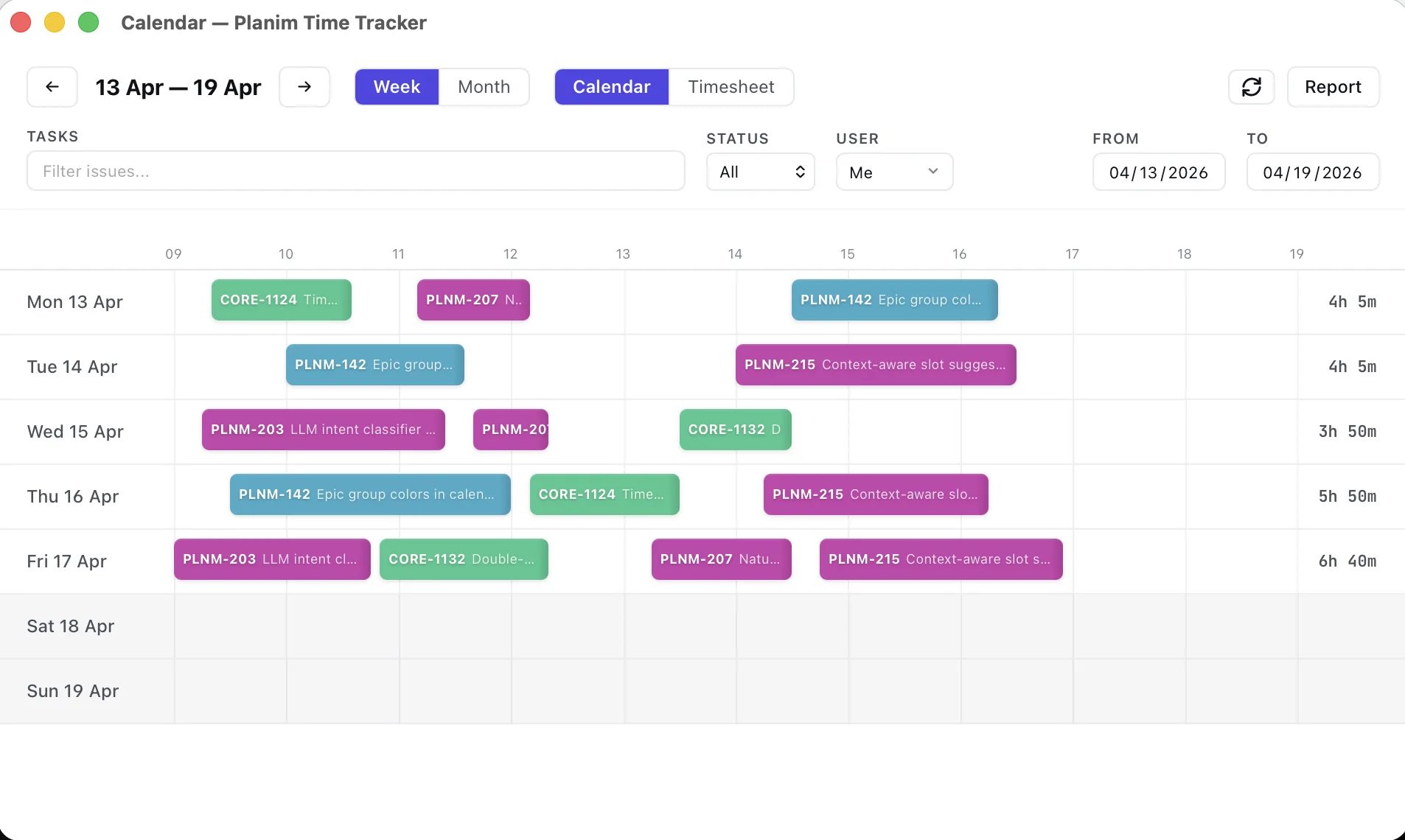
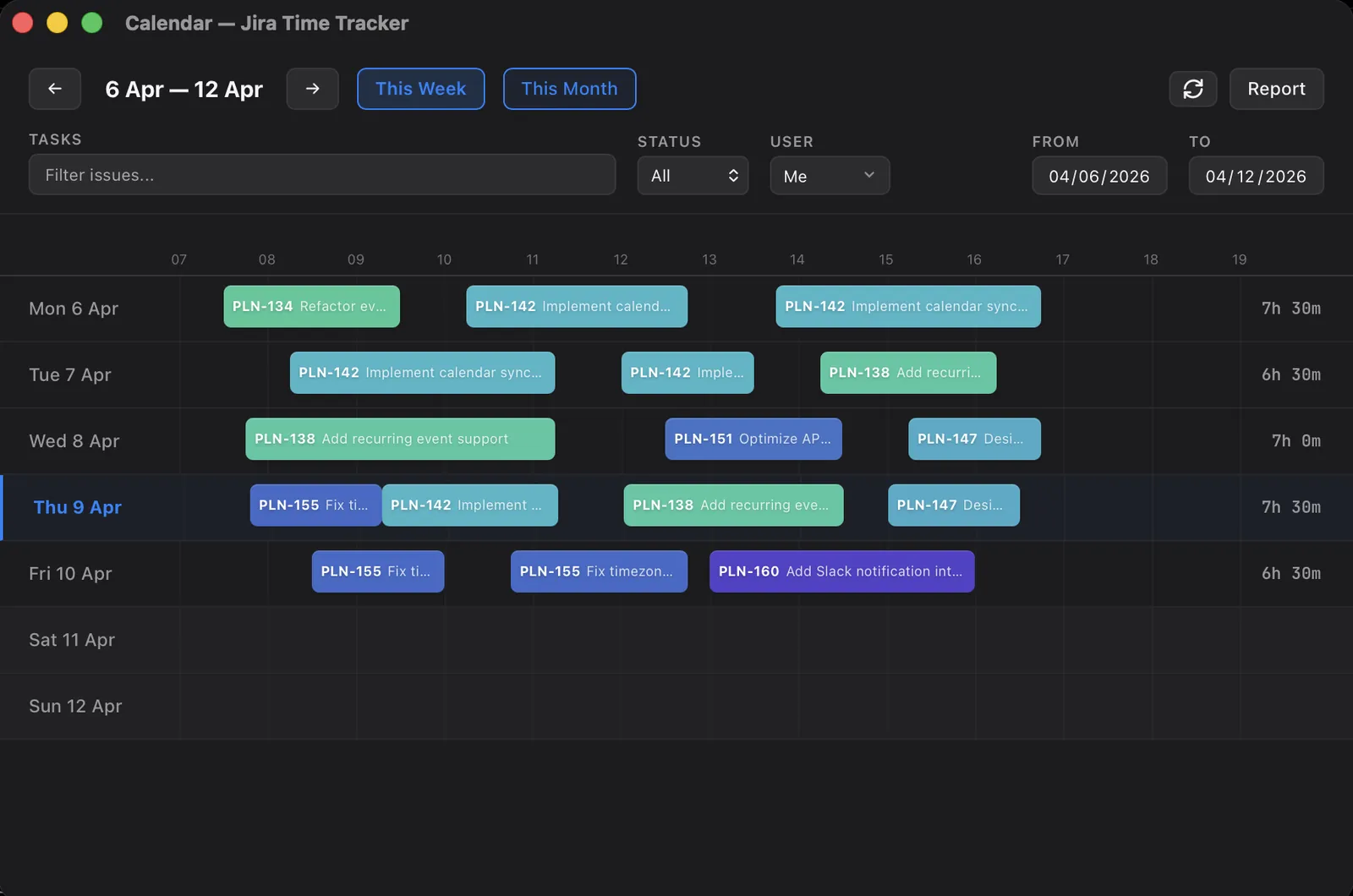
Around this loop sit three habits, each with a post of its own. Step away with the timer still running and an idle prompt asks what the gap was before any of it reaches Jira. Lose the network, or Jira itself, and entries queue locally to push later, which is half of the case for native desktop trackers in the first place. And on the days the timer never got started at all, a calendar or timesheet surface does the job better; choosing the surface by the kind of day is a topic of its own.
That is the whole personal setup. It would be a complete article if teams adopted tools the way individuals do. They do not.
A pilot is not a rollout
Here is where tooling for teams usually goes sideways. The classic sequence: someone evaluates platforms for a quarter, an admin installs a Marketplace app tenant-wide, every issue view grows a new panel, and a training doc goes out to people who never asked for one. That is a rollout. Rollouts need sponsors, budget owners, and patience, which is why they mostly happen at companies large enough to have all three.
The desktop path skips the sequence. When the second person on the team wants in, their onboarding is: install the app, sign in with Atlassian. They authenticate as themselves, against the same Jira site, and start logging. No tenant-wide switch got flipped, no central config was distributed, and nobody waited on a Marketplace approval, because nothing was added to Jira. Eight people adopting the tracker is the same event as one person adopting it, repeated eight times.
Two properties turn this from a demo into a real pilot. First, the free plan has no user cap, and free is not a crippled tier: the timer, manual worklogs, editing, pulling teammates’ changes back from Jira, and one-click Push All are all in it. Five engineers can run the tracker for a quarter at exactly $0. Second, every install starts a 14-day Pro trial on first launch, no account and no card, so each person also sees the paid surface without asking anyone for budget.
One honest caveat before the pilot starts: “no admin needed” is the common case, not a law of nature. A locked-down site can require approval for new OAuth apps, and our guide to Jira time tracking without admin rights walks through the gates you might hit and what to do at each one.
Where the team’s hours live
In Jira. That is the short answer and also the complete one.
The tracker writes ordinary worklogs to ordinary issues. When a lead wants to see the week, they open Team Statistics, which is a window in the desktop app, not a web dashboard. The roster it shows is stored in local SQLite on the viewer’s own machine; the hours are read straight from the Jira API. There is no Planim server holding a copy of your team’s time. Our web platform handles billing and seat management, full stop. We never see your team’s hours, and we like it that way: nothing can leak from a database that does not exist.
The same architecture is why a mixed team just works. Suppose two of five engineers adopt the tracker and the other three keep typing into Jira’s own Log work dialog. The numbers still add up, because both paths write the same worklog field on the same issues, and the statistics window reads whatever is in Jira regardless of which surface put it there. Adoption can stay partial forever. There is no migration day, and no split-brain period where half the hours live somewhere new while the other half stays behind.
What the window actually shows: worklogs over a date range, pivoted by person, by issue, by epic, or by project; a missing-time view that puts expected hours next to logged ones per person; and, per issue, the estimate next to what the work really took. The full team roster and CSV export are Pro; on the free plan you get a preview scoped to yourself. A missing-time column can be read as a health check or wielded as an accusation, and keeping it the former is a management problem before it is a tooling one.
What the Team plan actually changes
Not the app. There is no team binary and no team-only feature hiding in the client. The Team plan is bulk Pro: everything in Pro, for everyone you put on a seat. What you are buying is seats.
Seats fill themselves. A teammate installs the app and signs in; their first license check against your Jira site binds them to an open seat automatically. There is no invite flow and nothing to forward. On our side, the subscription row is locked during binding, so two people signing in at the same moment cannot both grab the last seat. The plan starts at two seats, and the owner can remove members from the dashboard when someone leaves, which frees the seat for the next person.
One asymmetry is deliberate: statistics are not fenced to paid seats. Team Statistics aggregates worklogs from everyone who logs time to the issues you can browse, because the data comes from Jira, not from our subscription table. A seat buys Pro features on a person’s own machine, the auto-push and calendar and idle detection and reports. It does not buy the right to be counted.
Pricing follows the same gradual shape as adoption. A single developer who wants Pro pays $10 per month, or $8 on annual. A team pays $8 per seat per month, $7 on annual, minimum two seats. The sequence we see work: pilot on the free plan, run the 14-day Team trial (one per workspace) once the lead wants real reports, then pay only for the people who actually reached for Pro features during the trial. The first step of all of that is a single download on a single laptop.
What this doesn’t scale into
A pilot that works invites the next request, and some next requests we decline on purpose.
Approvals are the loudest absence. No worklog ever waits for a signature, and there is no queue where a lead releases someone’s week. Billing is the second gap: a worklog never becomes a line item on anything. The third is capacity planning, because the statistics window reports what happened and stops there: it will not turn last month’s hours into next sprint’s bookings.
For eight engineers logging their own work, that ceiling is nowhere in sight. But if hours must be formally approved before payroll or a client sees them, you are shopping in a different category, the Tempo class of timesheet platforms, and our Tempo comparison is frank about where that boundary runs. If you are still deciding whether a desktop tracker is even the right species of tool, the roundup of Jira time trackers for engineers maps the wider field.
Below that boundary, the pilot never really ends. It just gains seats.