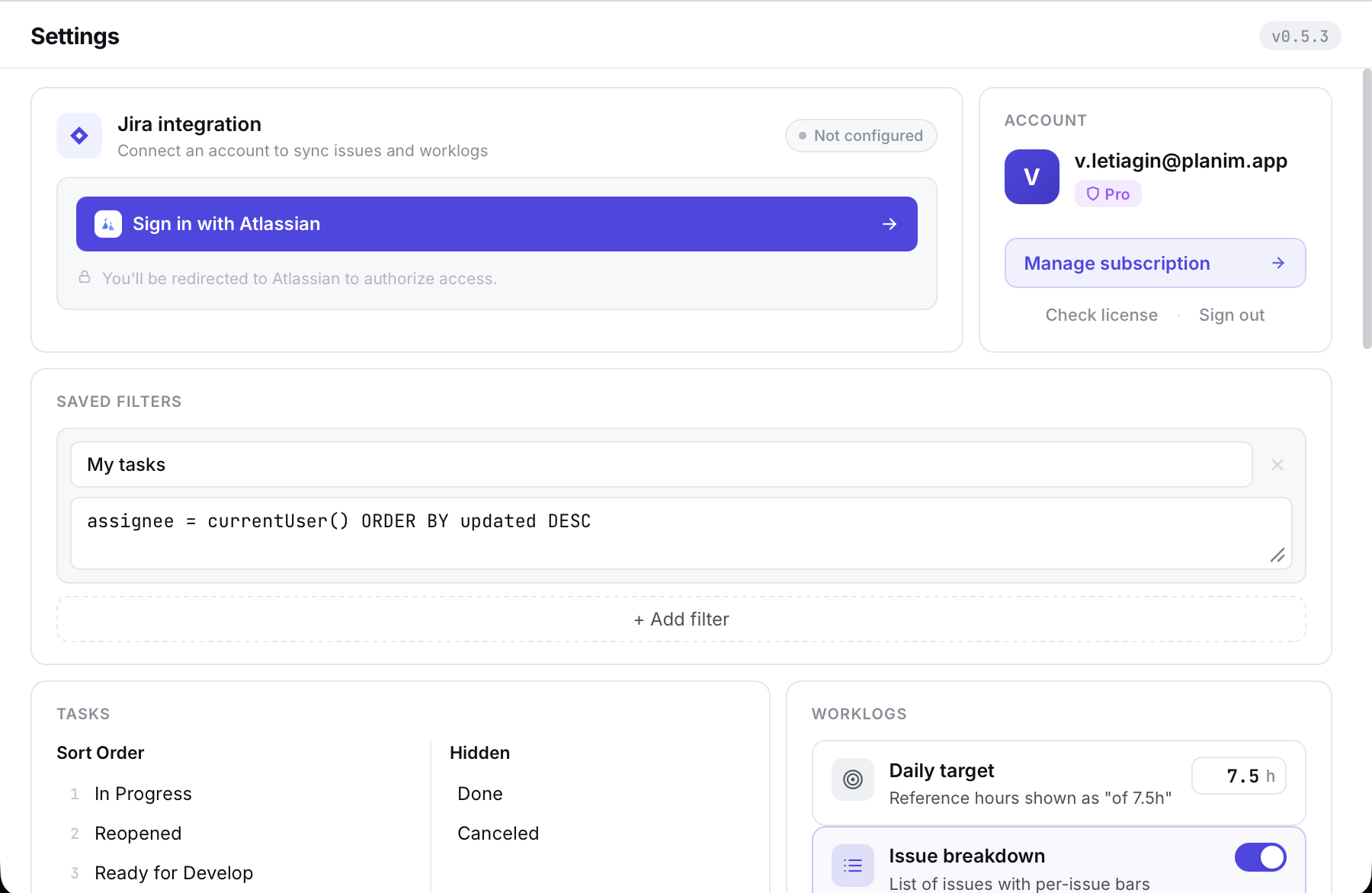
Jira integration

Planim Time — Jira time tracker for your desktop

Time tracking that syncs with Jira.

A native app for macOS, Windows, and Linux that lives in your menu bar or system tray. One-click timers, two-way Jira worklog sync, and a weekly calendar, all without leaving your workflow.

  • macOS
  • Windows
  • Linux
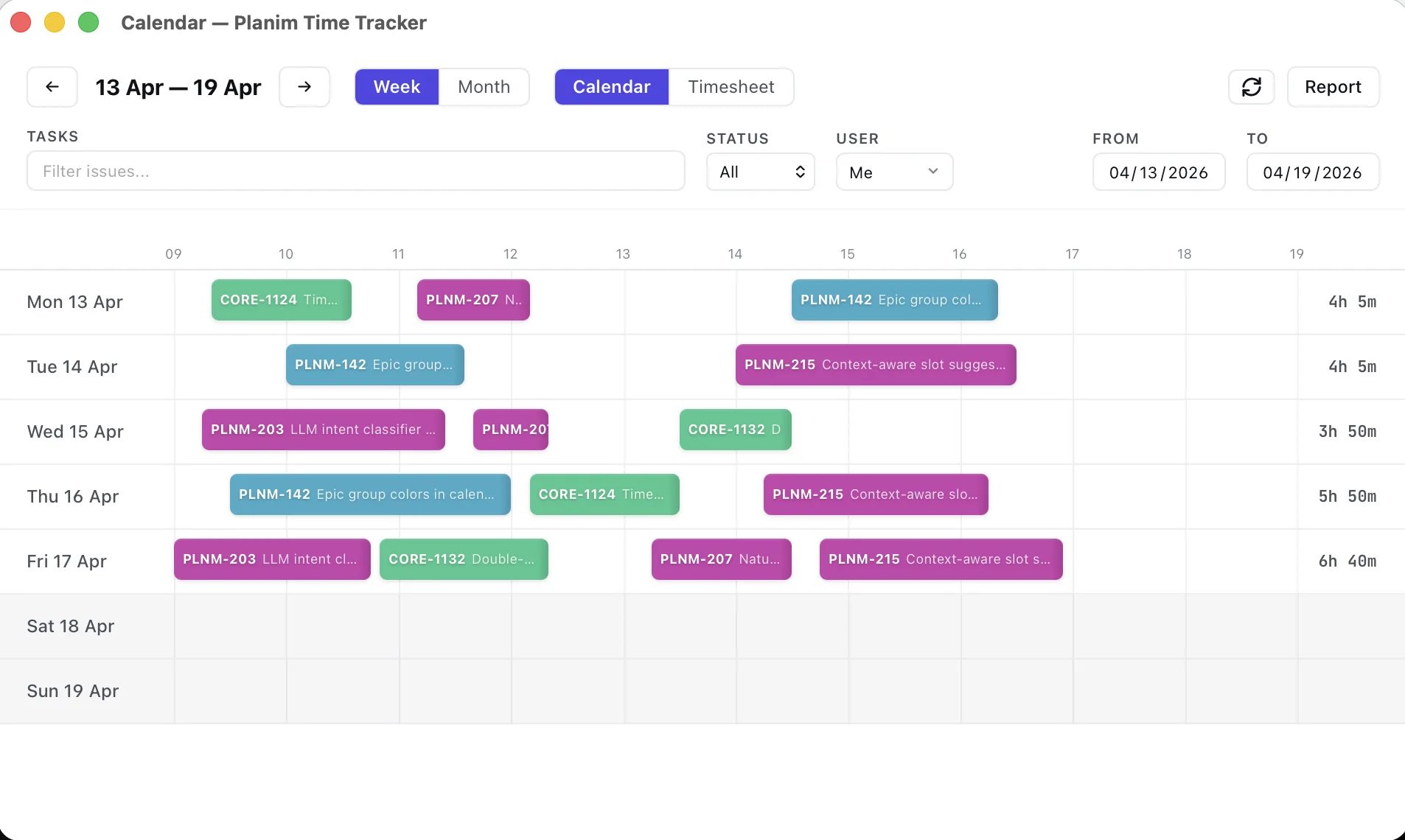
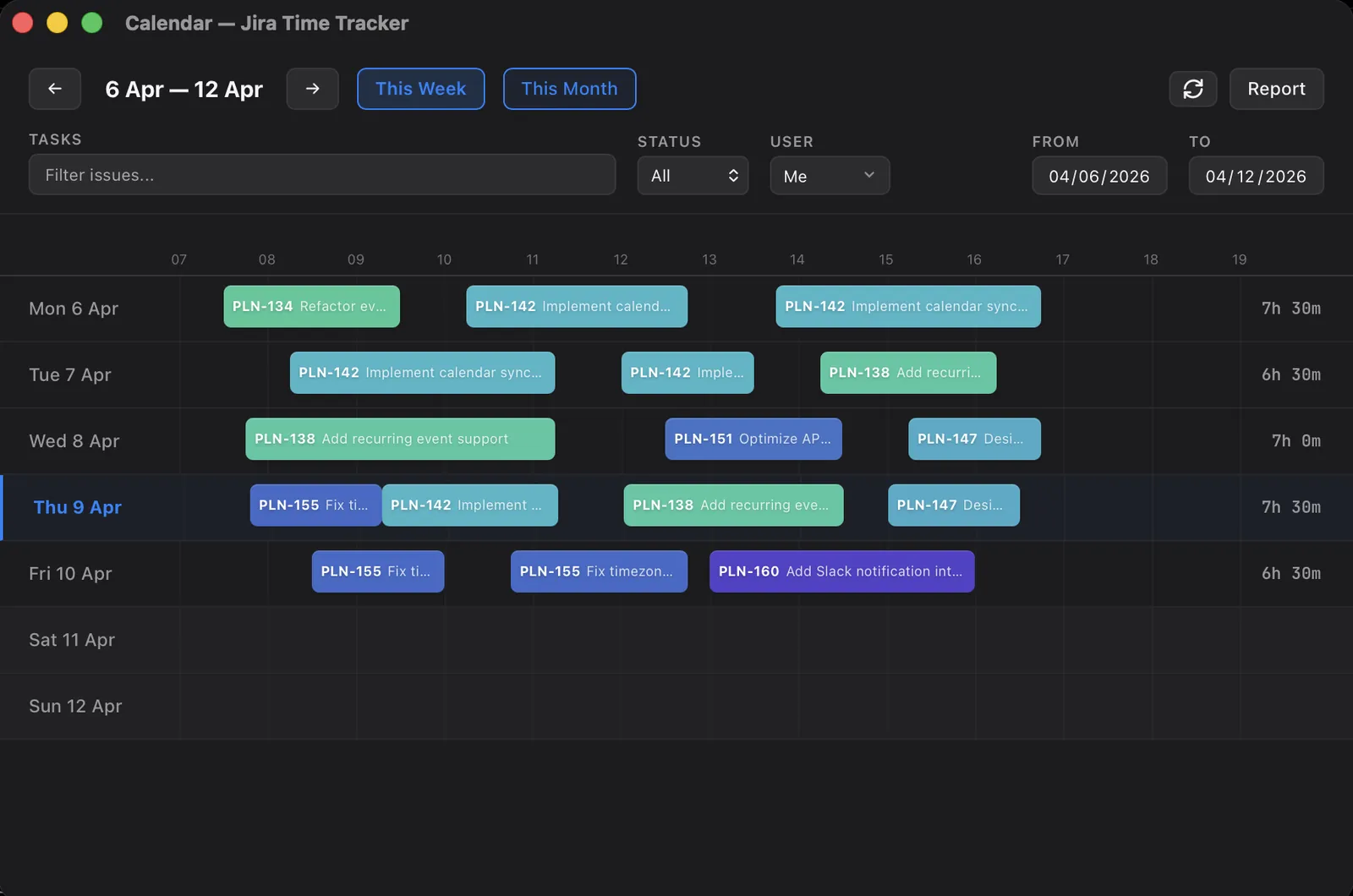
Planim Time weekly calendar with color-coded worklog blocks Planim Time weekly calendar with color-coded worklog blocks
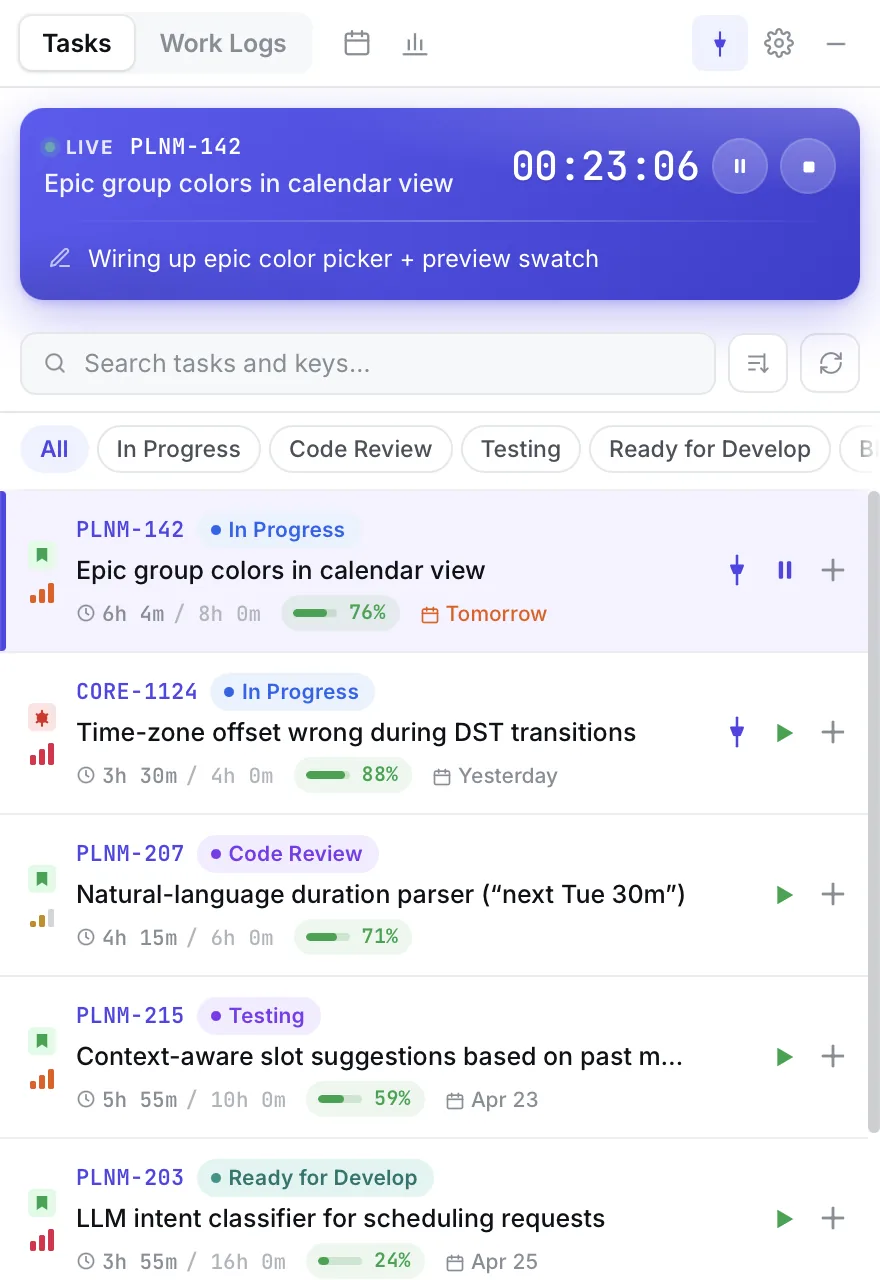
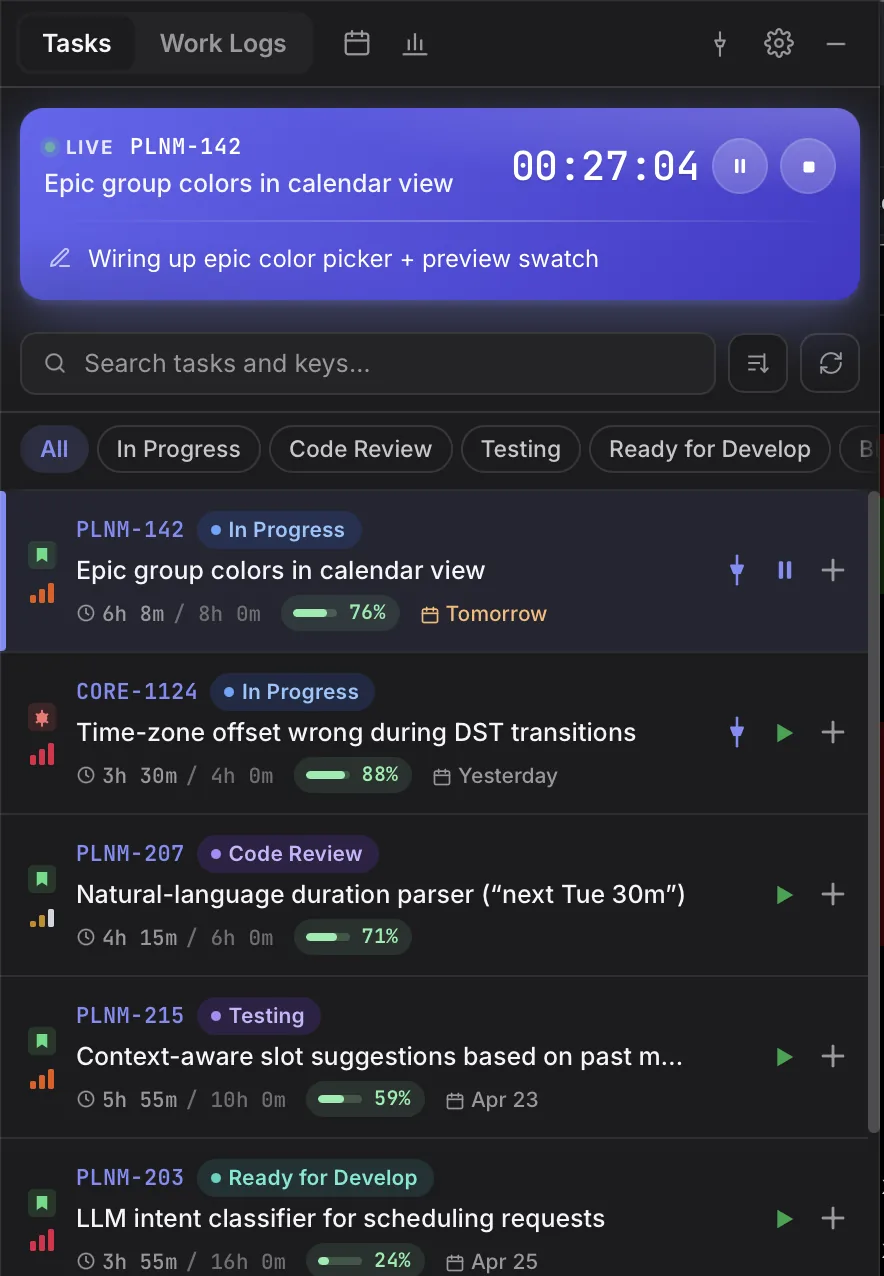
Planim Time popover with a running timer and a list of Jira issues Planim Time popover with a running timer and a list of Jira issues
  • 3desktop platforms, one tray
  • 2-wayworklog sync with Jira
  • 14 daysof Pro free, no card
  • Freeforever for time tracking and Jira sync

Features

Timer, sync, calendar, reports, automations. Everything between “I started working” and “it’s in Jira”.

Two-way sync

Every worklog synced. Both ways.

Planim Time doesn’t just push worklogs to Jira; it pulls them too. Edit a worklog in the app and hit “Save & Push” to update Jira instantly. Status badges show you exactly where each entry stands.

  • Push worklogs to Jira with one click or automatically
  • Pull existing worklogs from Jira into the app
  • Status badges: IN PROGRESS, PENDING, SYNCED
  • Edit time entries and push changes back to Jira
Worklog list in Planim Time with sync status badges Worklog list in Planim Time with sync status badges

Calendar & timesheet

Your week, two ways

See every logged hour as color-coded blocks on a weekly calendar, or flip to the timesheet grid for a spreadsheet-style roll-up by issue and day. Drag worklogs to move, resize, or reschedule them. No modal, no context menu.

  • Calendar & timesheet views in one click
  • Drag to move, resize to retime
  • Color-coded blocks per Jira issue
  • Suggest worklogs from your Jira activity
  • Filter by issue, status, or user
  • Daily and per-issue totals at a glance
Weekly calendar view of Jira worklogs Weekly calendar view of Jira worklogs
Timesheet grid with hours per issue and day Timesheet grid with hours per issue and day

Reports

Know where your time went

Generate reports for any date range. See every Jira issue worked on, with descriptions of what was done. Export to CSV for invoicing or copy to clipboard for standups.

  • Weekly and daily report views
  • Breakdown by issue with work descriptions
  • Export as CSV
  • Copy to clipboard for quick sharing
Time report broken down by Jira issue with work descriptions Time report broken down by Jira issue with work descriptions

Automation

Set it and forget it

Automate the tedious parts. Get notified when a tracked task changes status in Jira. Auto-suggest starting the timer when you move an issue. Push worklogs automatically when you stop the timer. And if you step away with the timer running, idle detection asks what to do with the gap instead of quietly logging it.

  • Status alerts with configurable snooze
  • Auto-suggest timer on issue status change
  • Periodic reminders if you’re still working
  • Auto-push worklogs to Jira on timer stop
  • Idle & sleep detection: keep, subtract, or stop
Automation settings: status alerts, reminders and auto-push Automation settings: status alerts, reminders and auto-push

Security

Your Jira credentials, never plaintext

Sign in with Atlassian and you are connected. Planim Time stores long-lived credentials in your operating system’s secure credential store, never in a config file. OAuth exchange and refresh pass through a short-lived broker, but no long-lived Jira credential is retained on our backend.

  • macOS Keychain on Apple devices
  • Windows Credential Manager on Windows
  • Secret Service (libsecret / GNOME Keyring / KWallet) on Linux
  • Encrypted at rest by the OS, unlocked per user session
Settings screen with the Sign in with Atlassian button for the Jira connection Settings screen with the Sign in with Atlassian button for the Jira connection

Idle & sleep, handled honestly

Step away with the timer running and Planim asks about the gap instead of logging it.

No Marketplace install

Sign in with Atlassian in one click. Nothing for a Jira admin to install.

A hundred little things that stop being annoying

Every engineer has a list of tiny frictions in their time tracker. Here’s the stuff we killed on purpose.

Pinned issues

Issues you live on stay at the top, even if JQL would normally hide them behind a sprint boundary.

Status reordering

Drag In Progress above To Do. Your list reorders to match how you actually work.

Worklogs from your activity

The app reads your Jira trail — comments, status changes, field edits — and suggests time blocks to log. Review, adjust, add with one click.

Daily report, one copy

One click copies your day grouped by issue, with descriptions, ready to paste into standup.

Dynamic tray icon

The tray icon changes when a timer is running, paused, or idle. Glance and know.

Local SQLite

Every worklog lives on your disk in a plain SQLite file. Nothing is lost if your Jira blips.

Dark, light, system

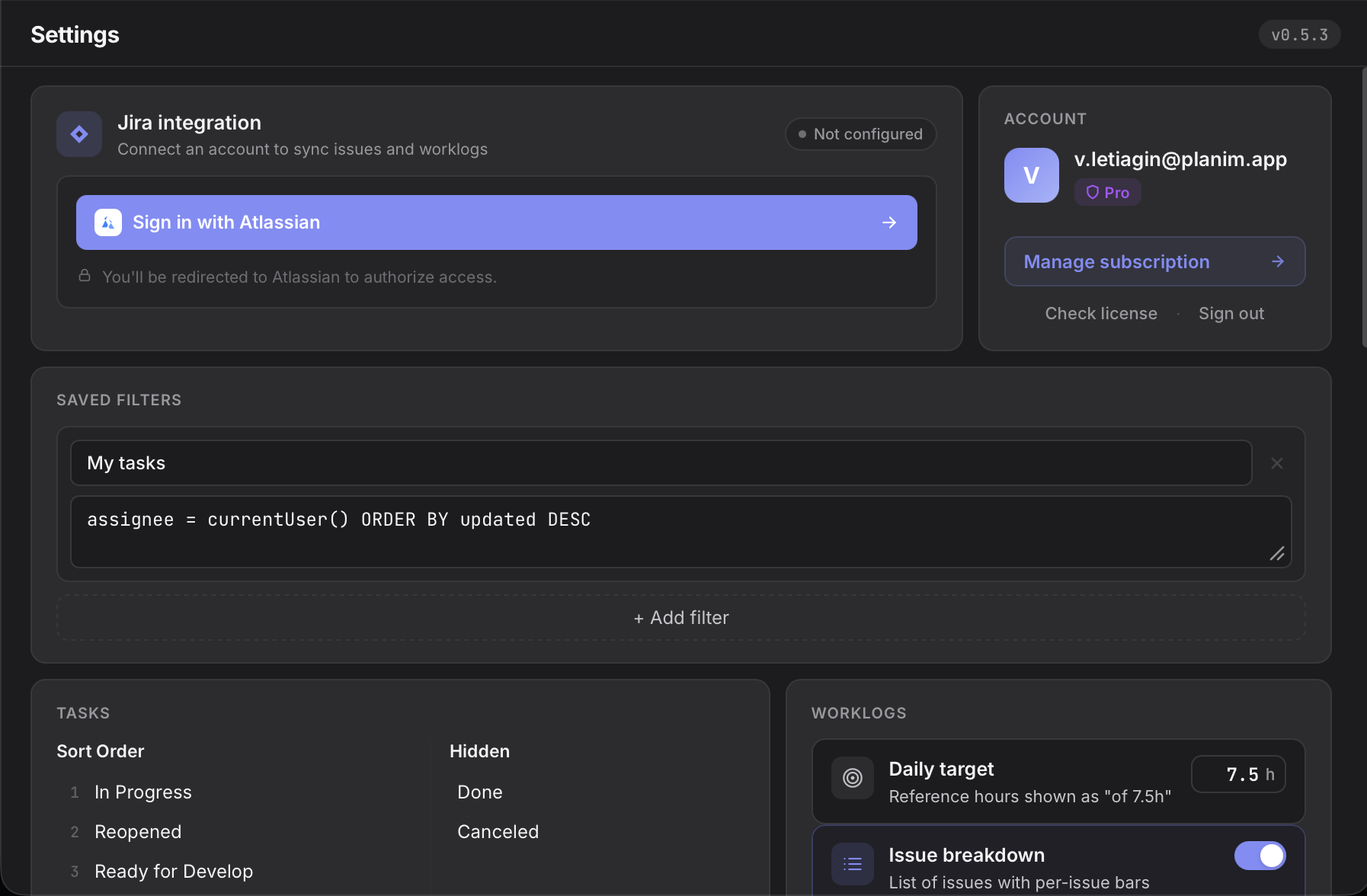
Three themes, synced with your OS preference if you want. The calendar stays legible in both.

Import existing worklogs

First launch pulls every worklog you or your team already logged on your Jira issues. No blank slate.

Works on a plane

Offline-first. Track on a flight, a train, a basement office, then reconcile with Jira when you land.

Teams

Your sprint, summarised for whoever is asking.

Group your people into teams, pick a week, and every worklog on every issue rolls up into one screen. No Jira admin dance, no shared dashboards, no spreadsheets copied at 6pm on Friday.

See pricing
Team overview: hours per person for the selected week, with expandable worklog descriptions Team overview: hours per person for the selected week, with expandable worklog descriptions
Team overview Person, Issue, Epic, Project
01

Four views, one dataset.

Switch between Person / Issue / Epic / Project in a click. Expand any row to read the actual worklog descriptions: who did what, not just how long.

02

Missing time, caught early.

We compare every logged hour against expected hours per weekday. Dial the expected to 7.5h or 10h and everything recomputes live, so anyone under target shows up on their own line before the sprint ends.

03

Estimates kept honest.

Original Jira estimates paired with actuals. Worst overruns first, underruns flagged too. +79% on a story is a conversation, not a surprise.

Team insights: estimates versus actuals with overruns listed first Team insights: estimates versus actuals with overruns listed first
Insights Estimates vs actuals

Why we built this

You can't leave Jira. We can make logging time into it bearable.

Most Jira time trackers are Cloud plugins. They live inside a browser tab and need an active Jira session. Every time you switch tabs to see the timer, Jira loads another ten widgets you didn't ask for. Tempo and Clockwork are built for finance departments, Clockify and Everhour for agencies, Hubstaff for managers who want screenshots and activity scores, and Toggl Track to be your team's standalone timesheet. None of them are built for the engineer who just wants a timer that doesn't lose hours when Jira goes dark for five minutes.

Planim Time is a native desktop app: Rust under the hood, tiny installer, one icon in your menu bar or system tray, no browser tab. Sign in with Atlassian in one click; long-lived credentials live in the OS keychain, the same vault your browser uses for saved passwords. Worklogs round-trip through Jira's own API, so nothing gets stuck in a third-party silo. Open a plane-mode laptop, start a timer, land, push, done. That's the whole pitch.


How it works

Three steps to effortless time tracking

  1. 1

    Install the desktop app

    Download Planim Time for your OS. It sits in your menu bar or system tray, ready when you are.

  2. 2

    Track your time

    Start a timer or log time manually on any issue. One click, zero friction.

  3. 3

    Sync automatically

    Worklogs sync back to Jira instantly. Your team sees the data in real time.

Pricing

Start free. Scale when ready.

Time tracking and two-way Jira sync are free forever. Try Pro or Team for 14 days, no card required.

Free

Always free

$0forever


Download

No account required

  • Unlimited time tracking
  • Two-way Jira worklog sync
  • Manual and automatic worklog entries
  • History & filters

Pro

Most popular

14-day free trial

$10per month

$8 per month billed annually

Get Pro free for 14 days

Trial starts automatically on first launch

  • Everything in Free
  • Calendar view
  • Automations & reminders
  • Idle detection
  • Time reports & CSV export
  • Team worklog visibility & per-member search

Team

14-day free trial

$8per seat / month

$7 per seat / month billed annually

Start Team trial

Free · one trial per workspace

  • Everything in Pro, for everyone on the workspace
  • One bill, per-seat pricing
  • Add or remove seats anytime
  • Cheaper than buying Pro per person

Lifetime

$150one-time

Everything in Pro, plus every future update — forever. Pay once, no subscription.

Get Lifetime

FAQ

Frequently asked questions

Something else? Get in touch, a human answers.

How much does Planim Time cost?
Planim Time has four plans. Free is $0 forever and covers unlimited tracking, two-way Jira worklog sync, and one-click Push All. Pro is $10 per month, or $8 per month billed annually, and adds automatic push on timer stop, calendar view, automations and reminders, idle detection, reports with CSV export, and team worklog visibility. Team is bulk-priced Pro at $8 per seat per month ($7 per seat per month billed annually, minimum 2 seats) with one bill for the whole workspace. Lifetime is a one-time $150 payment for Pro plus every future update, no subscription.
Is there a free version of Planim Time?
Yes, and it is a complete Jira time tracker rather than a trial: unlimited tracking with no daily or monthly caps, manual and timer-based worklogs, two-way sync that pulls existing Jira worklogs into the app, history and filters, and one-click Push All to Jira. It stays free forever. Paid tiers add convenience on top — automatic push on timer stop, the calendar view, automations, idle detection, and reports.
Does Planim Time work offline?
Yes. The app tracks time and stores worklogs locally on your machine. When you're back online, two-way sync reconciles your entries with Jira. You can keep working on a plane or without network access and push later.
Is there a Planim Time mobile app?
No. Planim Time is a desktop app for macOS, Windows, and Linux, because a live timer belongs on the machine where the work happens. The worklogs it pushes are ordinary Jira worklogs, so away from your desk you can still view and edit them in Jira's own mobile app.
Does Planim Time take screenshots or monitor activity?
No. Planim Time is a timer, not a monitoring tool. It takes no screenshots, records no keystrokes or app usage, and computes no activity scores. Idle detection reads one local operating-system value (seconds since your last input) and uses it only to ask about gaps. The app stores Jira credentials in the OS keychain. OAuth tokens pass through a short-lived broker during sign-in and refresh but are not stored there long term.
Does Planim Time detect idle time?
Yes. With idle detection on (a Pro feature, macOS and Windows), stepping away or letting the laptop sleep while the timer runs triggers a prompt when you return: keep the time, subtract it and keep working, or stop the timer at the moment you left. If you subtract, the work before the break is preserved as its own worklog with an honest gap after it. The threshold is configurable from 5 minutes to 1 hour, 15 minutes by default, and nothing is ever discarded silently.
Does every workspace member need their own Team seat?
Only if they want Pro features themselves — a Team seat activates Pro (automatic push on timer stop, calendar view, idle detection, reports, team worklog visibility, per-member search) for the one member holding it. Members without a seat can still track time against the workspace's Jira issues from Free or Pro, and their worklogs show up in the workspace's Team stats regardless of how or where they tracked. Team stats are built from every member who logged time to the workspace's issues, not just the paid seats.
How is Planim Time different from other Jira time trackers?
Most Jira time trackers are Cloud plugins or web apps that run inside a browser and require an active Jira session. Planim Time is a native desktop app that lives in your menu bar or system tray, works fully offline, signs in with Atlassian without a Marketplace install, and stores its long-lived Jira credentials in the OS keychain. The Free tier is a complete Jira tracker rather than a limited trial.

Start tracking time on Jira today

Free to use. No credit card required.

Download for Free
  • macOS
  • Windows
  • Linux