Logging time across multiple Jira projects and instances
Tracking time across many Jira projects works natively; across separate instances it doesn't. The line is the authorization boundary, and where JQL stops.
On this page
Jira logs time on the issue, not the project, so spreading work across several projects is not the problem people expect. A worklog on PROJ-12 and a worklog on OPS-4 are filed identically; the project the issue belongs to never enters the logging step. What breaks across multiple projects is everything stacked above the worklog: the board you navigate from and the built-in time report are both scoped to a single project. Across separate Jira instances the situation is different in kind, not degree. Native Jira has no cross-site issue list, no cross-site report, no cross-site anything, because each instance is its own login. The one question that tells you which problem you actually have is whether all of it sits under a single authorization boundary or several.
The design decision most relevant to this post is one we made in Planim Time: it pulls your issues by JQL rather than by board. That happens to sit right on the seam this article is about, so I’ll be precise about which limits are Jira’s, which JQL erases for free, and where a separate tool is the only honest answer.
Two problems hiding in one question
“Multiple projects” and “multiple sites” get asked as a single question, and they aren’t one. A project is a container inside one Jira Cloud site: one URL, one login, one user directory, many projects. A second site has another your-company.atlassian.net address and its own project set.
The test that separates the two cases is simple: can one set of credentials see all of it? If yes, the problem is navigation and reporting, and it is solvable without buying anything. That covers many projects on one site, and it even covers several Cloud sites that share your Atlassian account. If no, because a client’s Jira is a login you keep separately from your own, then nothing native bridges the gap, and you are choosing between switching contexts by hand or running more than one tool. Everything below follows from which side of that line you’re on.
Multiple projects, one instance: what works and what breaks
Logging works. Because the worklog attaches to the issue, you can log against fifty issues in eight projects in an afternoon and never think about projects once. This is the part people worry about, and it is the part that was never broken. The how-to mechanics are the same in every project, covered in how to log work in Jira.
Navigation breaks first. A Jira board is backed by a saved filter, and the default board filter pins it to one project. So the everyday loop becomes: open this project’s board, log, switch to that project’s board, log, switch back. You can widen a board’s filter to span projects, but that is a deliberate configuration step most teams never take, and it changes the board for everyone who uses it. For a single person juggling their own work across projects, reconfiguring shared boards is the wrong tool.
Reporting breaks next, and harder. The built-in Time Tracking report is per project, and it only exists in company-managed projects at all (team-managed projects don’t ship it). There is no native screen that answers “how many hours did I log this week across everything I touched.” The report assumes the project is the unit of analysis, which is exactly the assumption that fails when your week is spread across five of them.
JQL is the escape hatch, and it is free. The key fact most people never internalize: JQL is project-agnostic by default. A query with no project = clause returns issues from every project your account can see. The board hides this from you by always handing you a project-scoped filter, so the cross-project view is one you have to ask for explicitly.
| Goal | JQL |
|---|---|
| Every open issue assigned to me, all projects | assignee = currentUser() AND statusCategory != Done |
| Everything I logged time on this week | worklogAuthor = currentUser() AND worklogDate >= startOfWeek() |
| My work in two specific projects only | assignee = currentUser() AND project in (PROJ, OPS) |
There is one caveat worth stating plainly: JQL returns issues, not worklog rows, and the native issue search will not total the seconds for you. So a project-agnostic filter solves navigation completely and reporting only halfway. You get every relevant issue in one list, then you export the worklogs or call the API to add up the hours.
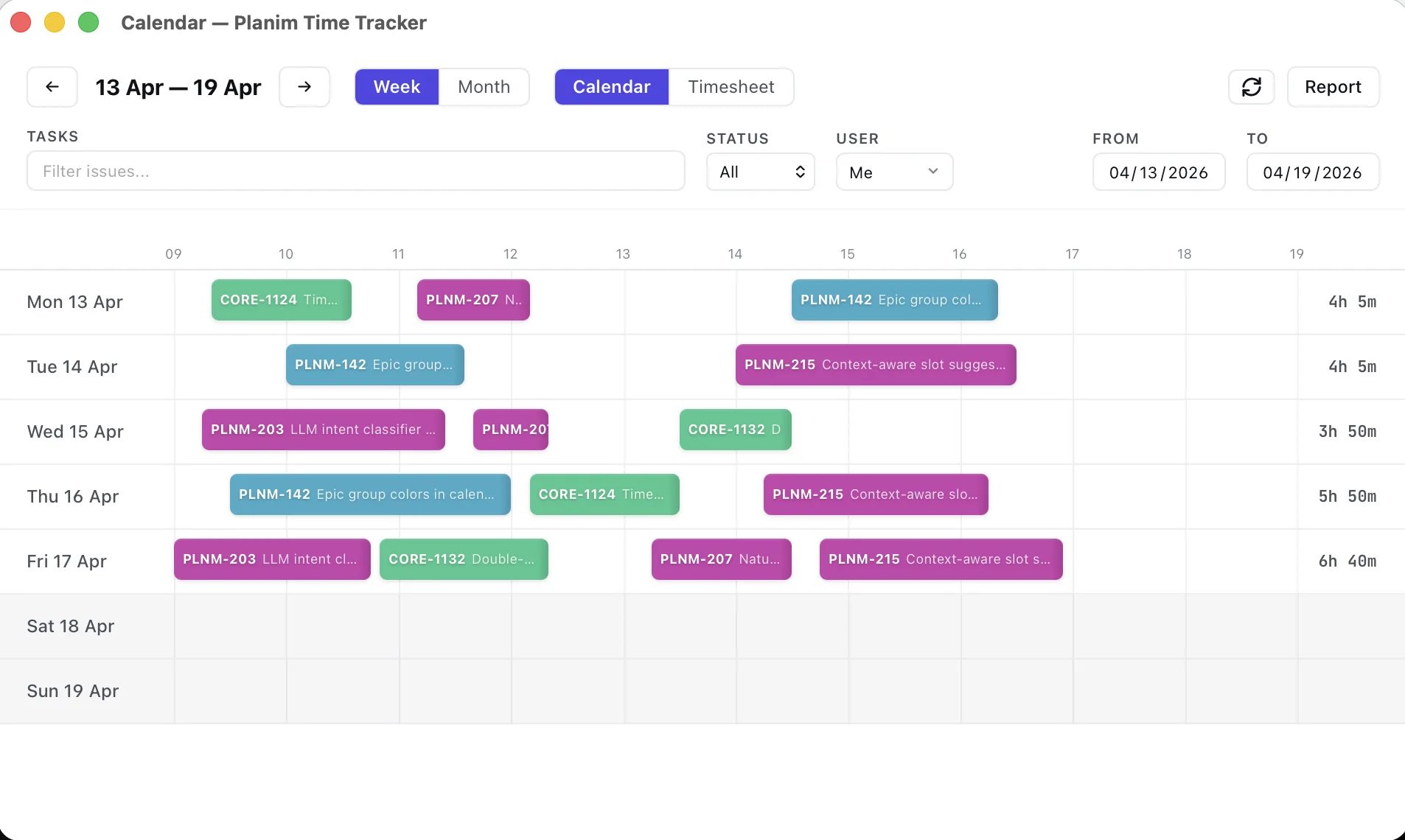
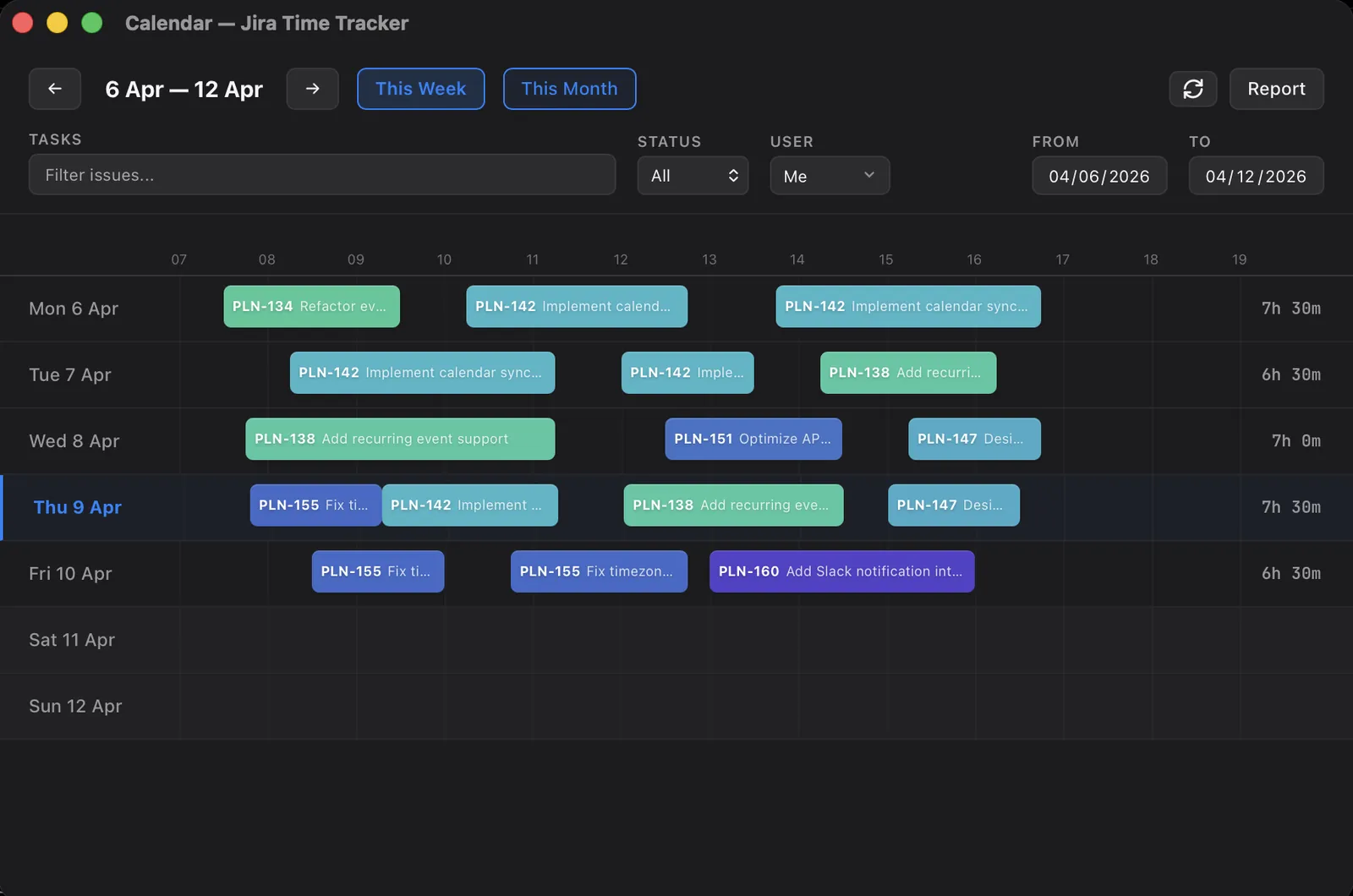
This seam is what Planim Time is built on. Because the issue list is a JQL result rather than a board, “all my projects” is the default state, not a special mode you switch into. One assignee = currentUser() filter and every project I touch appears in a single list; starting a timer on any issue files the worklog into that issue’s own project without me selecting a project anywhere. The project boundary simply isn’t a step in the workflow, which is the whole point of driving the list by query instead of by board.
Build one cross-project Jira time view with JQL
If you want this without any tool, here is the entire setup inside Jira.
- List the projects you split time across. Note the keys you actually log work in, say PROJ, OPS, and SUP. You don’t need them to build the filter, but the set tells you whether this is worth doing and lets you confirm the filter catches all of them.
- Write a project-agnostic query. In Filters, open Advanced search and write a query with no project clause. Use
assignee = currentUser() AND statusCategory != Donefor an active worklist, orworklogAuthor = currentUser() AND worklogDate >= startOfWeek()for what you’ve already logged. Omitting anyproject =clause is what makes it span every project you can see. - Save it as a reusable filter. Use Save as so it is one click from anywhere rather than a query you retype. If you want a board view, back a board with this filter to get one board that spans all your projects instead of switching between per-project boards.
- Log work from that one list. Open issues from the saved filter and log time normally. Each worklog still lands in its own issue’s project automatically, so you never choose a project. The filter is purely your single entry point.
- Total the hours by export or API. Because JQL lists issues rather than summing worklogs, export the filter’s worklogs to CSV or call the worklog REST API and sum there when you need a cross-project number.
Multiple instances: where native Jira stops entirely
Now the wall. Two Jira Cloud sites at different addresses share nothing at the Jira level: separate issue databases, separate URLs, separate reports, separate everything. The Atlassian site switcher puts you in exactly one site at a time. JQL cannot reach across sites. There is no cross-instance worklog and no combined report. For a consultant with three client Jiras, “log my week” is three logins and three exports that you reconcile yourself.
One thing does span Jira Cloud sites: your Atlassian account credential. A single API token authenticates against every site your account belongs to, using basic auth with your email and the token. But each request must still name that site’s own base URL or Cloud ID, so the shared token gives you scripting reach across sites, not one screen. You can write a script that walks three sites and pulls every worklog because the credential is shared while the base URLs are not.
That is why the instance boundary is genuinely hard and the project boundary isn’t. Within one authorization boundary, a query unifies the view. Across boundaries you are stitching together systems that were never designed to know the other exists.
Your options across instances
Three honest paths, none of them native:
- Switch by hand. Use the site switcher or separate browser profiles, log into each Jira, track and export each one, then add it up yourself. It costs no money and a steady tax on your attention. Tolerable for two instances, rough past that.
- One tracker per instance. Connect a tool to each Jira so every instance gets a clean timer and a clean report. The per-instance experience is good; the combined picture is still a spreadsheet you assemble on Friday.
- One tracker that holds several connections. A desktop tool or script that stores each instance’s base URL and credentials and presents a single issue list with the right worklog destination per entry. This is the only option that removes the manual stitch, and it is worth weighing the number of Jiras you log into as the deciding factor, not a feature checklist.
The practical takeaway splits the same way the problem does. For the project boundary, the advice is boring and free: stop navigating by board, build one currentUser() filter, and your projects stop being separate places to visit. For the instance boundary, count honestly how many Jiras you really log into, because that number is what should pick your tool. One instance with many projects is solved by a saved filter. Several instances is a real constraint, and the tools that handle it cleanly are the ones that treat each Jira as a connection rather than assuming there is only ever one.