Free Jira time trackers in 2026: which ones are actually free
Seven Jira tracking products plus Jira's built-in worklog, and several definitions of 'free'. See which free tiers include real Jira sync and which gate it behind paid.
On this page
“Free Jira time tracker” is the query, and every vendor on the first page of Google wants you to think the answer is them. The pricing pages don’t make it easy. One product offers only a trial, another caps “free” at ten people on Cloud, and several give you a permanent free plan but exclude the Jira integration you came for. By the time you’ve opened eight tabs and read eight definitions of “free forever”, you’ve already spent the hour you were trying to save.
One of these tools is Planim Time, which we build. The version of this post I want to read is the one that puts the actual ceiling of each free tier on the table, in plain English, without the vendor mood lighting. So that’s what this is. Numbers were re-checked on 22 July 2026; pricing in this category moves, so re-check before quoting anything internally.
The two questions that matter
Before anything else, ask:
- Does the free tier expire?
- Does the free tier include the Jira integration?
You’d think both are yes by default. They aren’t. Some products ship only a trial; others, including Everhour, Toggl Track, and Hubstaff, have a permanent free plan that excludes the native Jira integration. Toggl’s first-party Jira Sync is gated behind Premium and remains import-only.
A clean test for whether a “free” plan deserves the label: install it on a Friday, log time against a real Jira issue, and check on Monday whether you still have access. If the answer is yes, and the worklog actually landed on the right issue, you’re looking at a real free tier.
Actually-free-forever, with full Jira sync
Three products on this list pass that test, and they pass it differently.
Planim Time
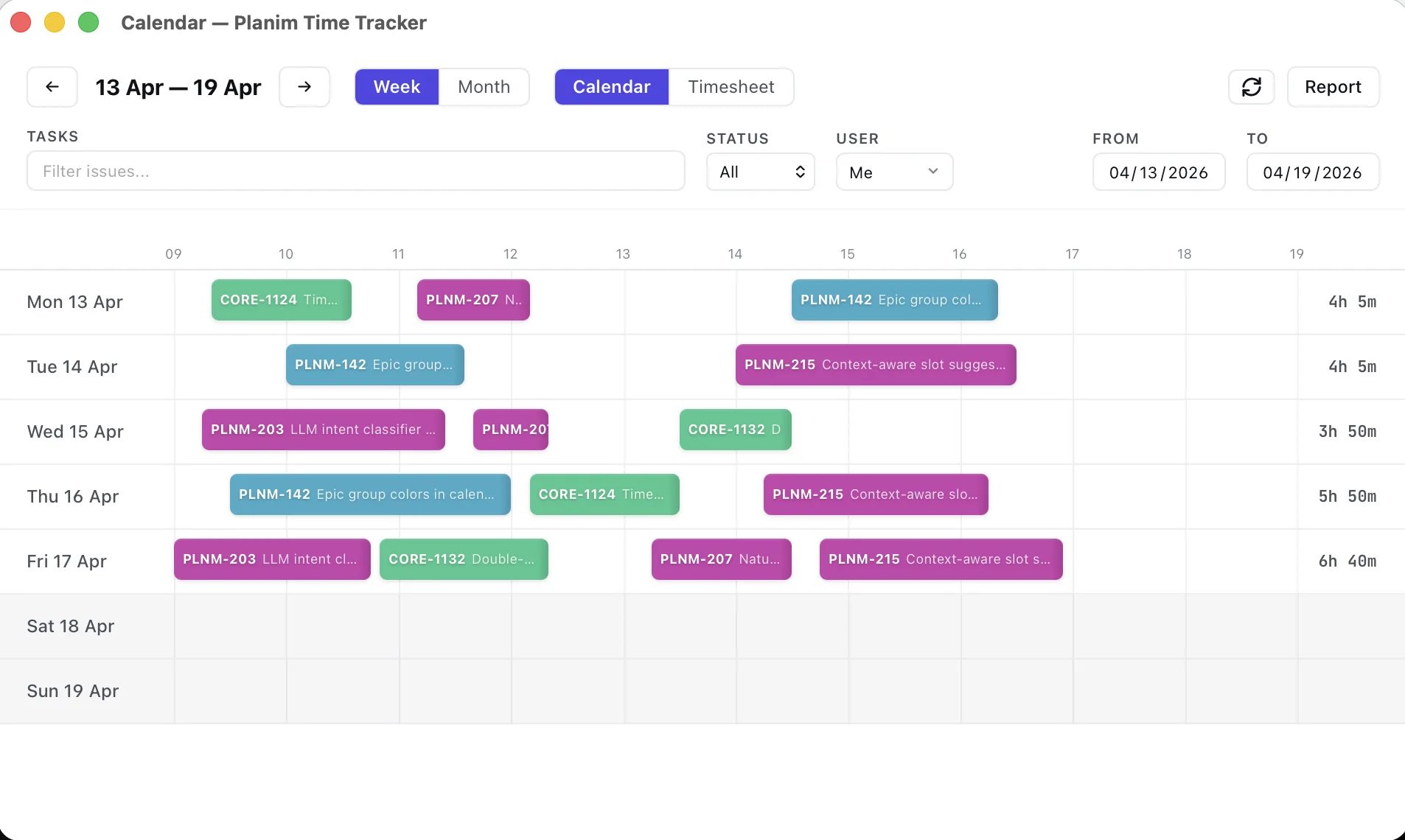
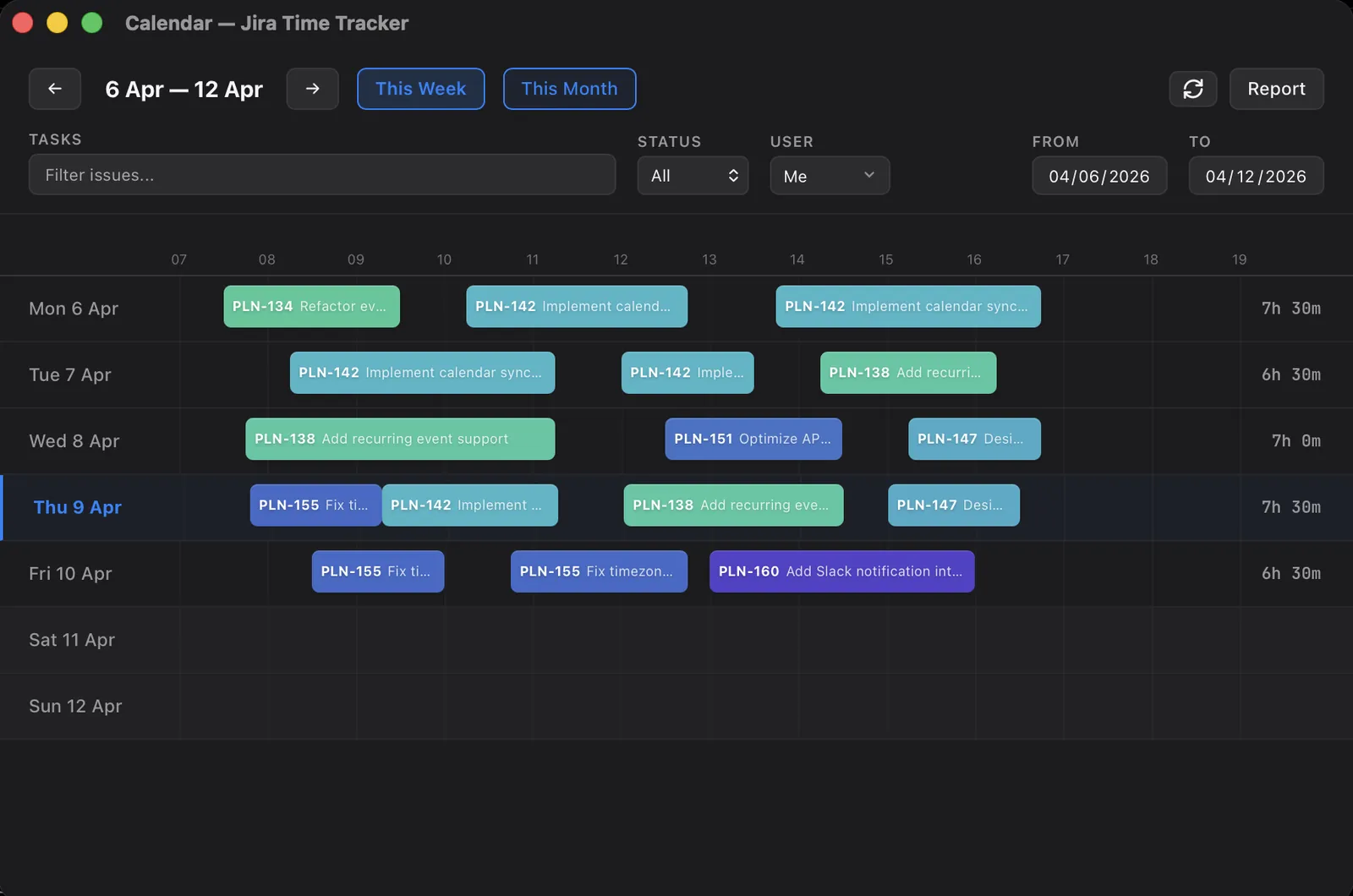
Free forever, no time limit, no user cap, and no Planim account: the app signs in to Jira and nothing else. What Free does, as actions: pick an issue from the list (JQL-driven, assignee = currentUser() by default), Start, pause if you step away, Stop, then Push the entry to the issue as a normal Jira worklog with the real start time and duration, or Push All to clear the day. Worklogs sync two ways, and the timer keeps running offline; pending entries wait for your next Push. Pro costs $10 monthly or $8 monthly with annual billing and adds automatic push, the calendar with drag-to-edit worklogs, idle detection (macOS and Windows), reports with CSV export, and team worklog visibility. The 14-day Pro trial starts by itself on first launch, no card, so you see the calendar before deciding whether Free is enough. Team is bulk-priced Pro at $8 per seat monthly or $7 annual, with a two-seat minimum and one workspace bill. For an engineer who just wants hours on the right Jira issue, Free is the product rather than a timed demo: download it and run the Friday-to-Monday test from the section above.
Clockify
Clockify’s free plan covers up to five users with unlimited tracking. Its current Jira Cloud integration is a free Atlassian Marketplace app, not just the older browser-extension workflow. A Jira admin installs the app, then users connect their Clockify accounts and get a timer on Jira issues.
Clockify documents two-way sync: a timer stopped in Jira creates a Jira worklog, and changes made in either Jira or Clockify sync to the other side. The remaining trade-offs are the five-user ceiling, the Jira-admin install, and the parallel Clockify cloud dataset. For teams that need mobile apps or track across many systems, that is a strong free option. For one engineer who cannot get an app approved, it is not a no-admin path.
Planim Time avoids that Marketplace installation, but “no install” is not the same as “no policy”. Atlassian sites can require OAuth app authorization. The no-admin guide maps those gates before you spend time evaluating any desktop option.
Clockwork
Clockwork is a Jira Marketplace plugin with free pricing for up to ten users on Jira Cloud and a timesheet UI inside Jira. HeroCoders removed Lite’s old 300-timer monthly limit in May 2026, so timer starts are now unlimited. Above ten users, or for the richer Pro workflow, it moves to paid Marketplace pricing.
For a five-person engineering team on Cloud, this is hard to beat. The whole experience lives inside Jira’s browser tab, no separate app, no second login, no token paste. The catch is the ten-user ceiling: the day your eleventh engineer joins, the upgrade isn’t a flat $10, it’s per-Jira-user, and if your Jira has 200 seats your bill scales with all of them, not just the ones tracking time.
Free plans that do not include Jira
Everhour
Everhour’s Free plan covers up to five seats, but does not include native integrations, so it is not a free Jira tracker. Jira requires the Team plan: $8.50 per seat per month on annual billing or $10 monthly, with a five-seat minimum. That paid plan is where Everhour’s real value lives: Jira integration, billing, budgeting, invoicing, and the reporting workflows that make it a fit for agencies and consultancies.
Toggl Track
Toggl has a real free plan for up to five users, and it’s perfectly fine for tracking time against arbitrary projects in Toggl’s own database. The Jira piece is where it stops being free. Toggl’s own support docs are explicit: their first-party Jira Sync is one-way (Jira to Toggl, never Toggl to Jira) and lives on the paid Premium tier. Below that, the integration is a browser extension that pulls issue titles into a timer popup; the hours never reach the Jira worklog.
If your team has already standardised on Toggl and Jira is incidental, the free plan is fine. If your team is looking for “free Jira time tracker” and reading this post, the free plan isn’t what you want.
Hubstaff
Hubstaff has a permanent Free plan for one user with time tracking, limited screenshots and reports, and no integrations. It also offers a 14-day trial of premium features. Jira integration requires Grow at $7.50 per seat per month on annual billing; paid per-seat plans have a two-seat minimum, so the floor for a Jira-tracking pair is $15 monthly.
Worth saying: Hubstaff is a manager’s purchase, not an engineer’s. It does things the other tools on this list refuse to do (screenshots, activity scoring, app and URL capture, optional GPS). If those are what you’re buying, the pricing makes sense. If Jira sync is the requirement, its one-seat Free plan does not qualify.
No permanent free plan
Tempo Timesheets
Tempo’s pricing page advertises a 30-day Atlassian Marketplace trial, started by a Jira admin. After that, it’s a paid Marketplace plugin priced against the Jira license size, with Cloud rates tiered by seat count. There’s no permanent free plan, no individual-developer plan, no “free for the first three users” carve-out. The 30-day trial is generous and you’ll know inside a week whether Tempo is what your finance team needs, but it isn’t free.
Tempo Timesheets’ strength is approvals and finance-oriented reporting; the wider Tempo suite adds separate products for capacity planning and financial management. If the people asking for the tracker run those workflows, the trial is worth doing. If they’re engineers who just want hours on the right ticket, the cheapest answer isn’t Tempo at all. We compared Clockify’s free tier against Tempo’s paid depth head to head, if that’s the trade you’re weighing.
At-a-glance: what each free tier actually covers
| Tool | Free forever? | Jira sync on free? | User cap on free | Direction of sync |
|---|---|---|---|---|
| Planim Time | Yes | Yes (two-way) | None | Worklogs round-trip with Jira |
| Clockify | Yes | Yes (two-way Marketplace app) | 5 | Jira + Clockify cloud |
| Clockwork | Yes | Yes (Jira-native UI) | 10 | Inside Jira |
| Everhour | Yes | No | 5 | No Jira integration on Free |
| Toggl Track | Yes | No (Jira Sync is Premium) | 5 | One-way, import only |
| Tempo Timesheets | No (30-day trial) | n/a on free | n/a | Complete record in Tempo; basic anonymised row in Jira |
| Hubstaff | Yes | No | 1 | No integrations on Free |
| Jira native worklog | Yes (built in) | Yes (by definition) | All Jira users | Native |
A row worth highlighting: Jira’s built-in worklog UI. If “free” is the only constraint and you’re willing to click into every issue manually, that field has been in Jira since the early 2000s and costs nothing on top of the Jira seat you’re already paying for. I wrote a longer post on how that compares to the third-party options, if it’s relevant.
The cost that isn’t on the pricing page
Free pricing is rarely the most expensive part of adopting one of these tools. Worth budgeting for:
Credential review. These products no longer share one authentication model. Marketplace apps use tenant-level app permissions. Cloud services keep integration state in vendor infrastructure. Planim Time uses Atlassian OAuth by default, stores long-lived credentials in the OS keychain, and uses a short-lived broker during sign-in and refresh without keeping a long-lived copy. IT and security teams care about those trust boundaries. The credential-storage review breaks them down.
Two-way sync, or its absence. The label has to be tested rather than inferred from product type. Edit a synced worklog in Jira, edit it again in the tracker, and confirm the expected version survives on both sides. Planim Time and Clockify’s current Marketplace app both document a round trip; Toggl’s first-party Jira Sync remains import-only. The two-way Jira worklog sync guide explains the failure modes.
Switching costs. Tracker A’s free plan is free; tracker A’s data is hostage. Migrating six months of historical worklogs from one tracker to another is rarely a one-button export. If you’re picking a tracker today and there’s any chance you’ll be reading “best Jira time trackers” again in eighteen months, prefer the one whose data already lives where you need it (i.e., on the Jira issue).
How I’d pick, if I were starting today
A short version, since you’ve read enough:
- Five or fewer engineers, Jira Cloud, and an admin willing to install an app: Clockify if mobile and cross-tool tracking matter, or Clockwork if the timesheet should live inside Jira.
- Any team size, you want a timer that survives Atlassian’s bad afternoons and pushes worklogs back to Jira: Planim Time on the free plan.
- Jira is one of several tools and you want two-way worklogs plus mobile apps: Clockify Free, up to five users, with the Marketplace app.
- You log time once a week, by hand: Jira’s native worklog field. It’s already on every issue. Friction-heavy, free forever.
If the free tier isn’t your constraint and you’re choosing on workflow, the roundup of Jira time trackers by use case is the longer version of this list.
The one case where this list doesn’t help you is when someone has already told you the company can use Tempo or Hubstaff with Jira for free. Tempo is a 30-day trial followed by paid Jira-seat pricing. Hubstaff Free is permanent, but only for one user and without integrations; Jira requires paid Grow seats with a two-seat floor. If that’s the conversation you’re walking into, separate “free tracker” from “free Jira integration” before approving anything.